Attendance tracking for gymnastics classes, one tap per gymnast

Attendance lives on the class schedule, not in a separate app. Open today, open the class, tap the roster. Everything else, from makeup credits to the attendance rate on the dashboard, follows from that.

No credit card. Free during beta.

stick10.com/admin/attendance
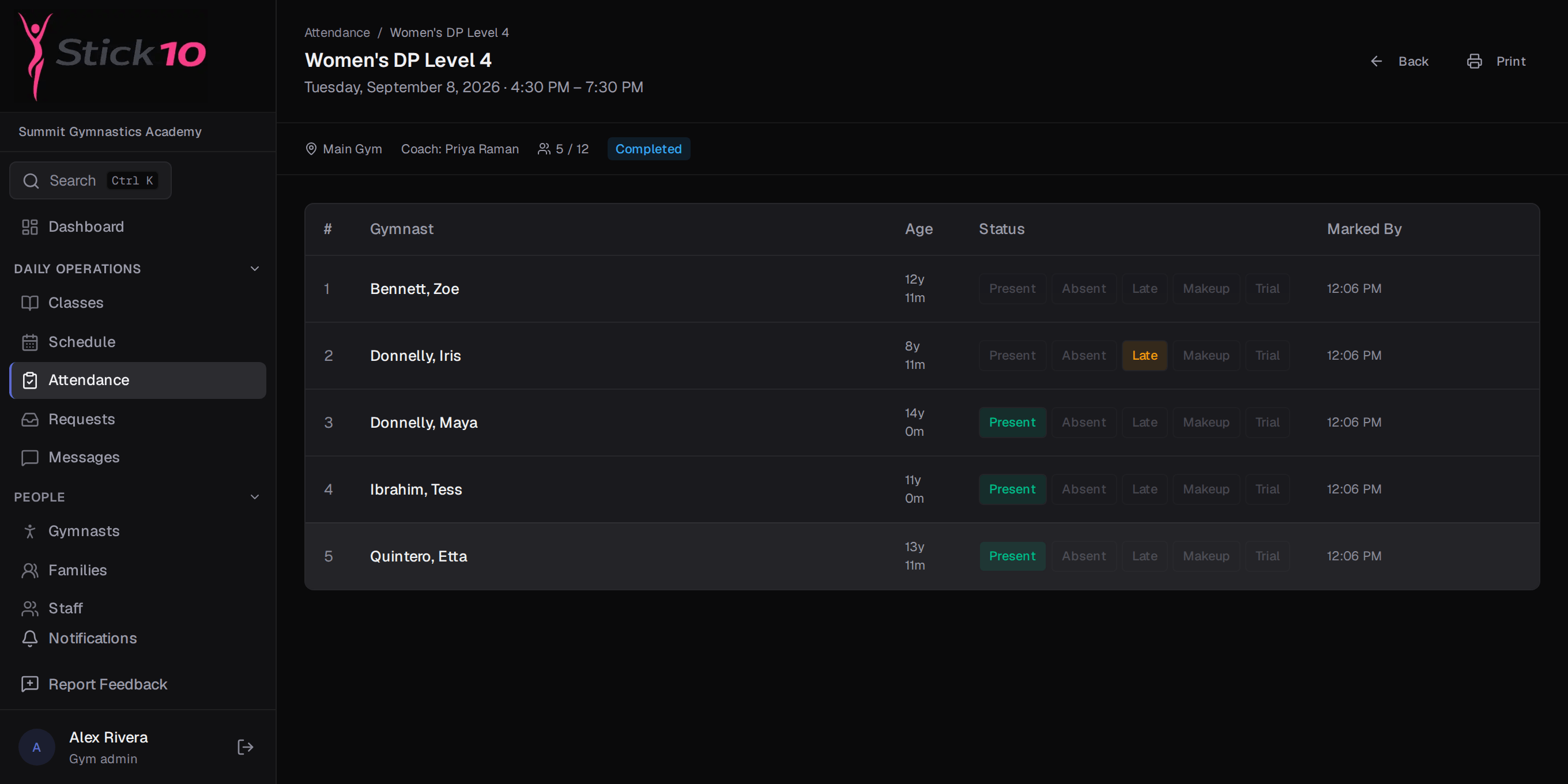
Stick10 attendance roster for a class with gymnasts marked present, absent and late
A class roster mid-session · Present, Absent, Late or Makeup per gymnast

Open the day, tap the roster

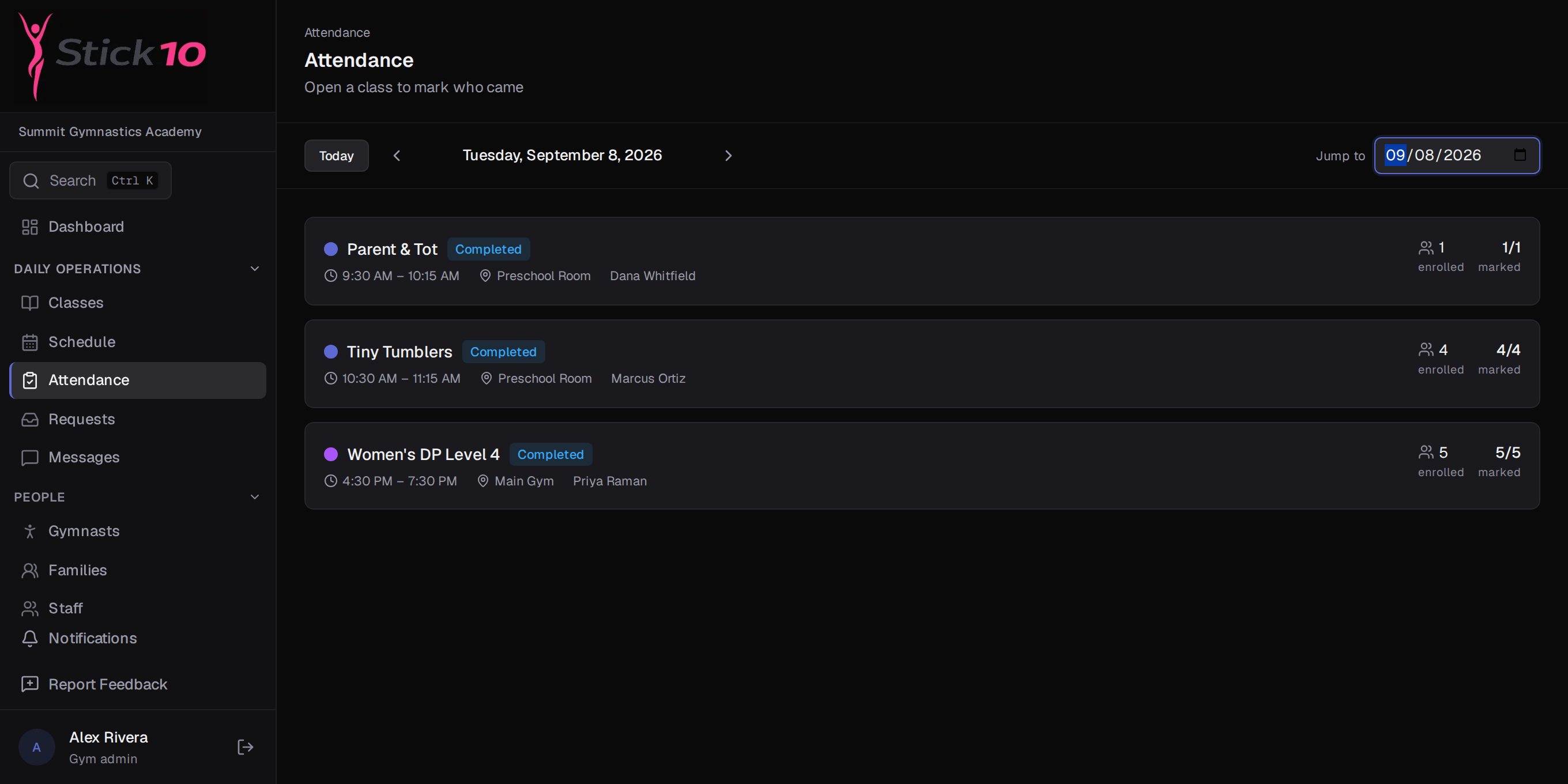
The Attendance page lists every session for the day with its time, room, coach and enrolled count. Open one and each gymnast is a row with four buttons. Stick10 records who marked the attendance and when.

  • Present, Absent, Late or Makeup, one tap each
  • Jump to any date to fix yesterday
  • Works on any tablet or phone browser, no app to install
Trials and makeups on the same roster

A trial gymnast or a makeup from another class is added to the session and appears on the roster alongside the enrolled gymnasts, so the coach sees one list and the front desk sees who actually came.

  • Trial gymnasts on the roster before they enroll
  • Makeups tracked against the credit that paid for them
  • Enrollment counts stay accurate
stick10.com/admin/attendance
Stick10 attendance page listing the day’s classes with time, room, coach and enrollment
The day’s sessions · time, room, coach and how many are enrolled

Absences reported by parents become makeup credits

When a parent reports an absence from the portal, the roster shows a planned absence instead of a no-show, and the family receives a makeup credit to book against another session.

  • Planned absences visible to the coach before class
  • Makeup credits issued and redeemed automatically
  • Fewer “we told the front desk” conversations

Attendance rate where the owner sees it

The dashboard shows the gym’s attendance rate for the last 30 days. Each gymnast’s history is on their profile, and parents see the same record in the portal.

  • 30-day attendance rate on the dashboard
  • Per-gymnast history on the profile
  • Parents see attendance for each child in the portal

Questions about attendance

What do coaches use to take attendance?+

Any tablet or phone with a browser. Coaches log in with their own account and see the classes they are assigned to. Stick10 can be added to the home screen so it opens like an app.

How are late arrivals handled?+

Late is its own status, so a gymnast who arrives ten minutes in is neither a no-show nor a clean present. Attendance rates count Late as attended.

Can parents see attendance?+

Yes. The parent portal has an attendance page per child, and parents can report an upcoming absence from the same place.

Does attendance work for trials and open gym?+

Trial gymnasts are added to a session without being enrolled. Open gym and other drop-in classes are scheduled like any other class, so their sessions appear on the Attendance page too.

Set up your gym this afternoon.

Create your facility, toggle on your programs, and you have a class roster before your coffee is cold.

Free during beta. No credit card required.