Meet management for hosted invitationals and away meets

Hosting a meet is a checklist: levels and sessions, clubs and athletes, divisions and squads, scores, results. Stick10 walks that checklist in order and keeps every entry on the same record as your gymnasts and families.

No credit card. Free during beta.

stick10.com/admin/competitions
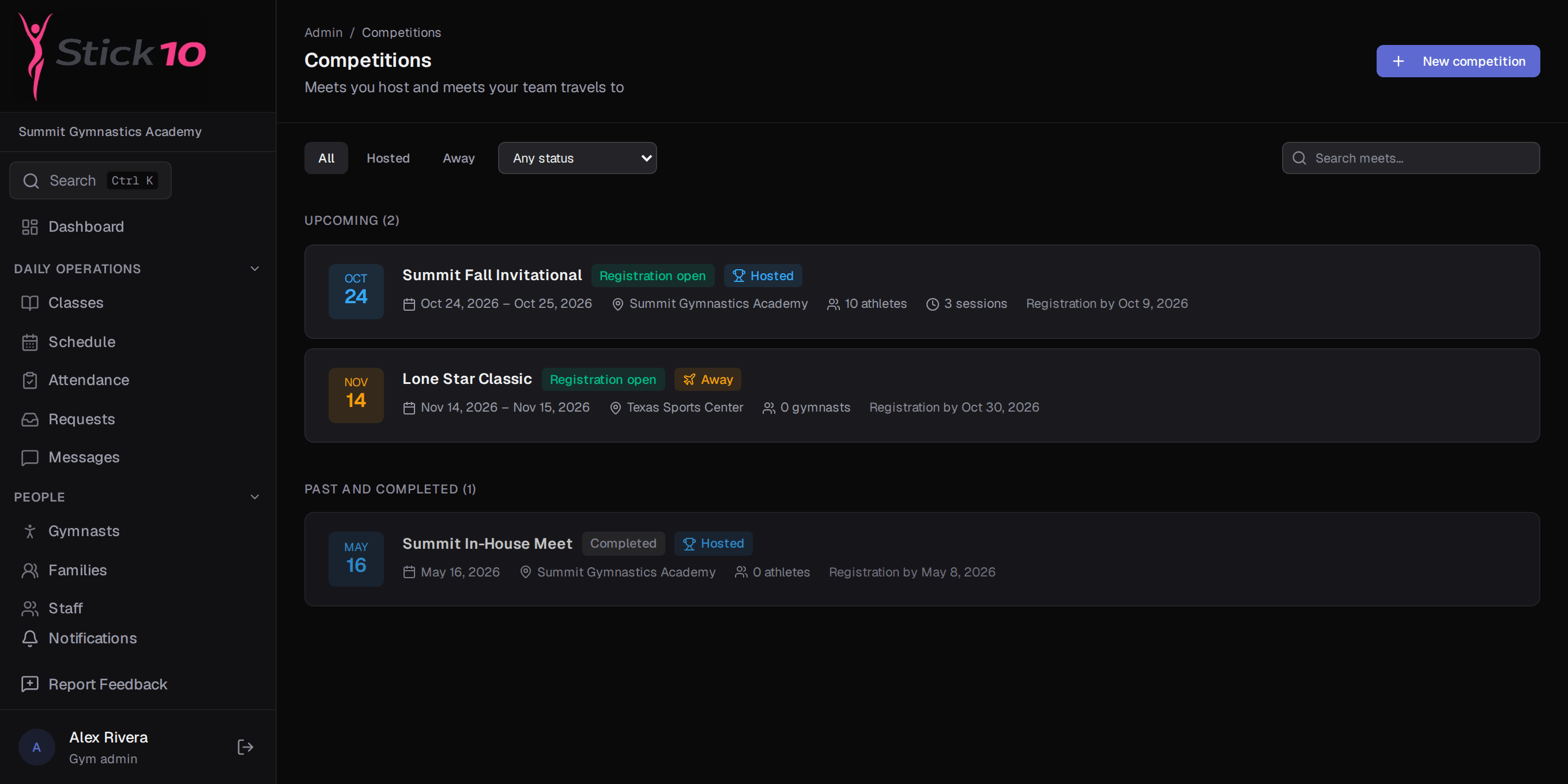
Stick10 competitions list with a hosted invitational, an away meet and an in-house meet
A hosted invitational, an away meet and last season’s in-house

A checklist from setup to results

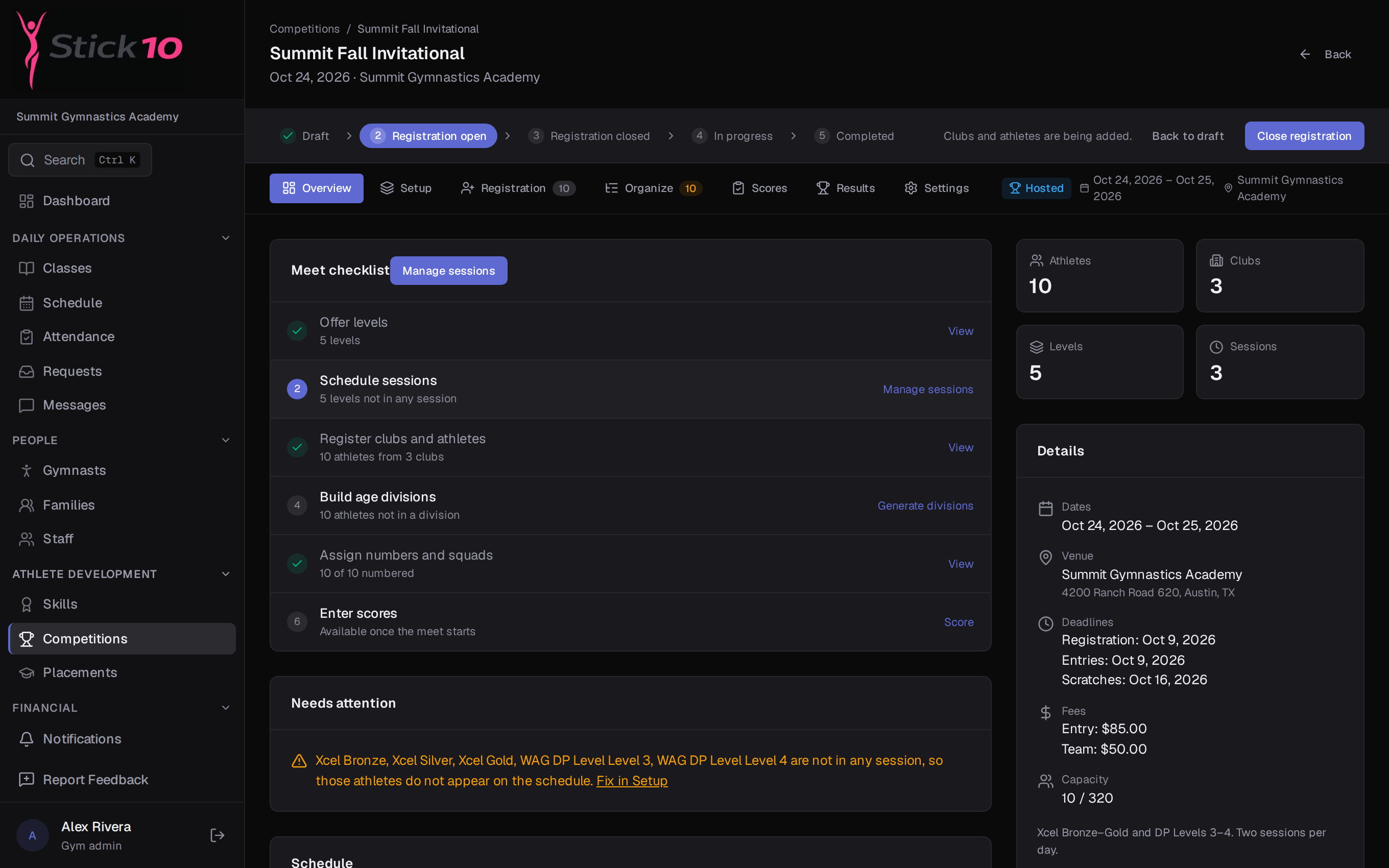
A hosted meet moves through Overview, Setup, Registration, Organize, Scores and Results. Each step unlocks when the one before it is complete, so a volunteer running the meet desk always knows what comes next.

  • Setup: levels and sessions
  • Registration: visiting clubs and their athletes
  • Organize: age divisions, squads and competitor numbers
Levels and apparatus per discipline

Stick10 knows the events for each discipline: vault, bars, beam and floor for women’s artistic, six events for men’s, trampoline and tumbling, rhythmic. Levels come from the same USAG lists your classes use, so Xcel Silver at your meet is the Xcel Silver on your roster.

  • Eight programs with the right apparatus for each
  • Development Program and Xcel levels built in
  • All-around calculated from the events that count
stick10.com/admin/competitions/spring-invitational
Stick10 hosted meet overview with the setup checklist from levels through results
Meet overview · the checklist from Setup to Results, with what is done and what is next

Registration without the spreadsheet

Add visiting clubs and their athletes by hand or import them from CSV. Entry fees, team fees, deadlines and scratch deadlines live on the meet. For your own gymnasts, meet fees are added to family invoices in one step.

  • CSV import for clubs, athletes and scores
  • Entry and team fees, registration and scratch deadlines
  • Your own athletes’ fees flow to billing

Scores in, results out

Enter scores per apparatus and Stick10 ranks each division and the all-around. Export results to CSV for the awards table or the host federation. For away meets, pick who is travelling from your roster and record their results when you are back.

  • Score entry per athlete and apparatus
  • Results by division and all-around, exportable to CSV
  • Away meets: your roster, their venue, your results

Questions about competitions

Does this replace USAG’s sanctioning and reservation systems?+

No. Stick10 records the meet’s sanction type and manages your entries, sessions, scores and results. Sanctions, memberships and reservations still happen with USA Gymnastics.

How do visiting clubs get their athletes in?+

From the meet’s Registration step you add each club and its athletes, either one at a time or by uploading a CSV the club sends you. Squads and competitor numbers are assigned in the Organize step.

How are age divisions built?+

In the Organize step you set the age divisions for each level and Stick10 places athletes into them from their dates of birth. You can split large divisions into squads and assign competitor numbers from there.

Can I import scores from a scoring system?+

Yes. Scores can be entered by hand or imported from CSV, and results export back out as CSV.

Set up your gym this afternoon.

Create your facility, toggle on your programs, and you have a class roster before your coffee is cold.

Free during beta. No credit card required.