A parent portal that answers the question before the phone rings

Most calls to the front desk are one of four questions: what do I owe, what do I need to sign, when is class, and how do I tell you she is sick. The portal answers all four on the first screen.

No credit card. Free during beta.

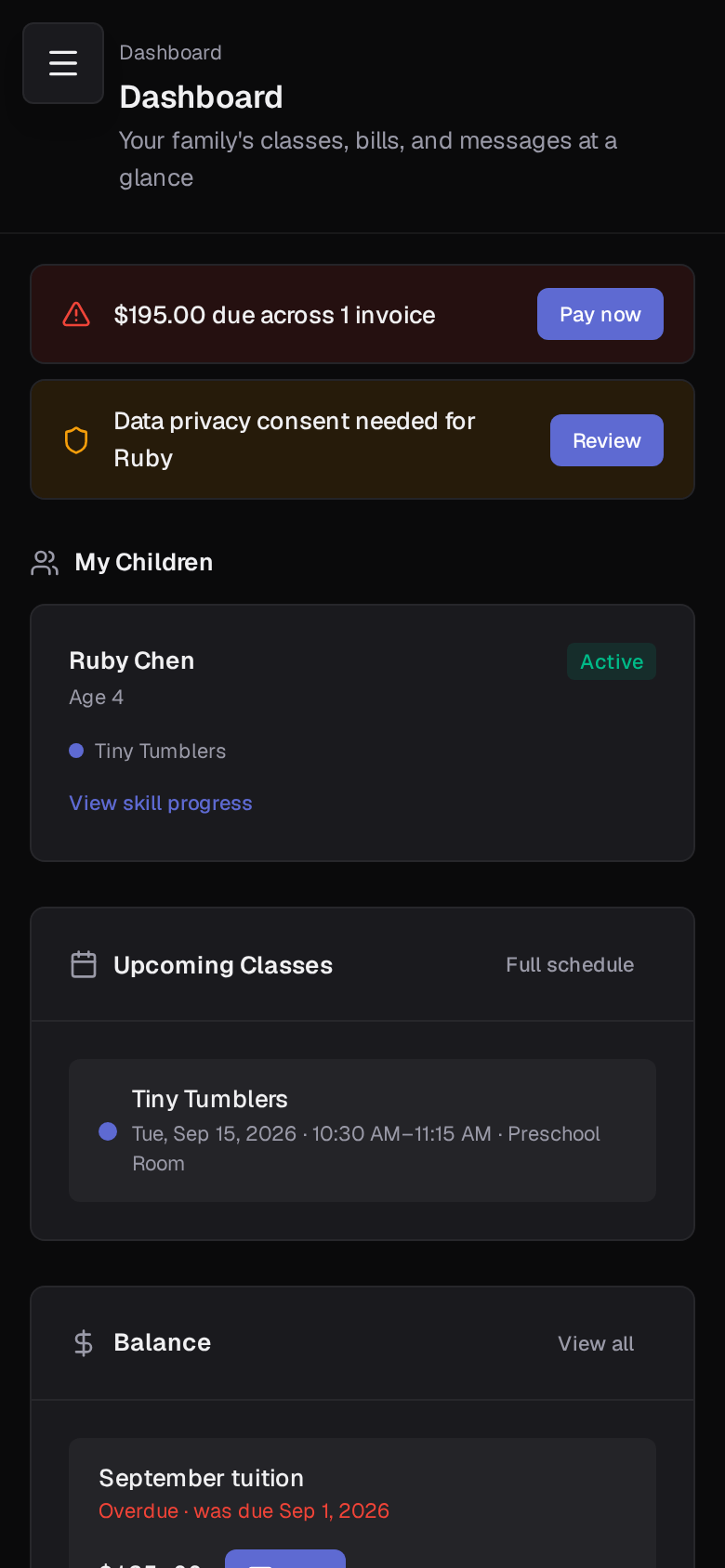
Parent portal dashboard on a phone
Opens on what needs attention
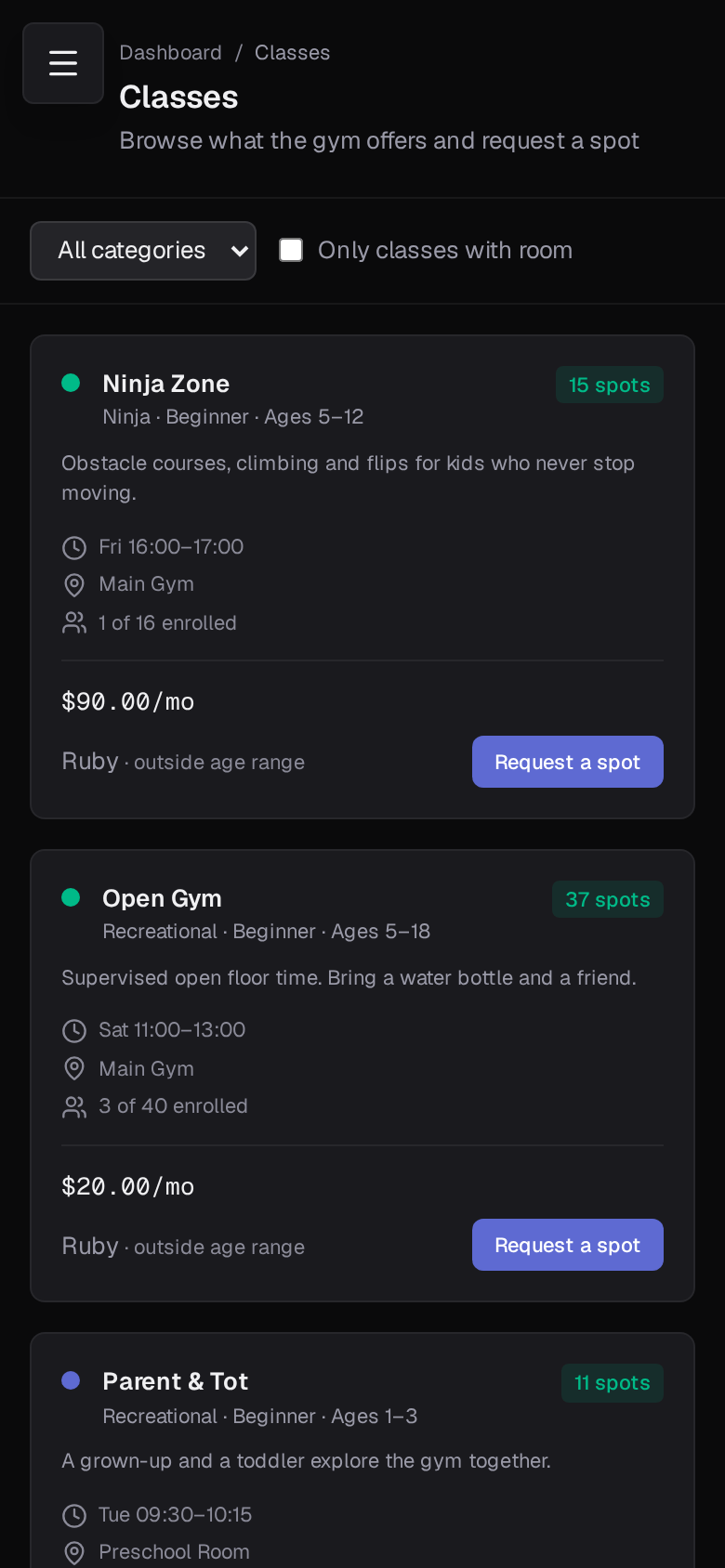
Parent portal class catalog on a phone
Browse classes and request a spot
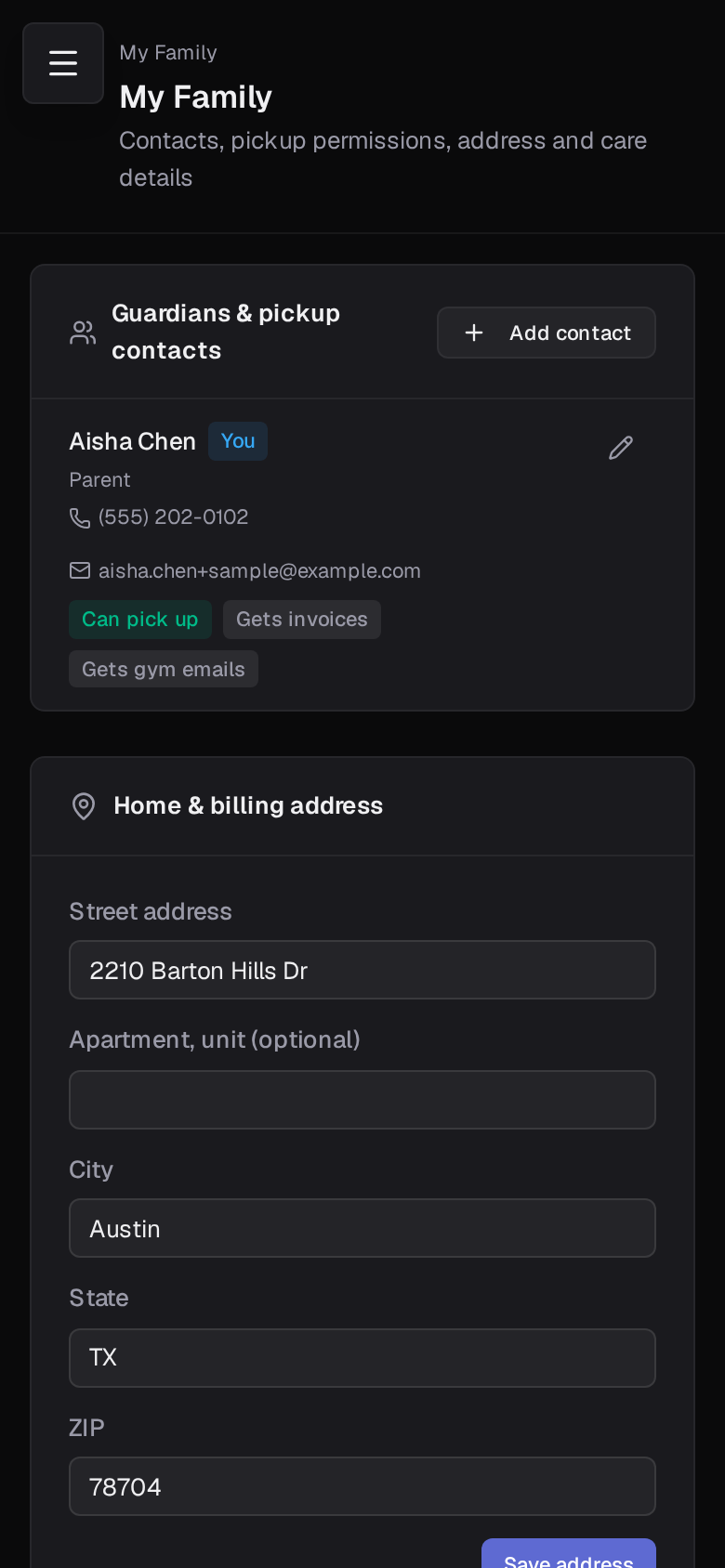
Parent portal family page on a phone
Contacts, pickup adults and medical notes

Opens on what needs attention

The dashboard starts with a balance due, a waiver to sign or an unread message, whichever applies today. Under that, each child, their classes and the week ahead.

  • Balance, waivers and messages first
  • Each child with their classes and coaches
  • The week ahead, including cancellations

Self-service that saves the front desk

Parents keep their own contacts, pickup adults, address and emergency and medical details current. They browse the class catalog and request a spot or join a waitlist, ask for a private lesson with the coach and times they want, and report an absence that becomes a makeup credit.

  • Family details edited by the parent
  • Class requests, waitlists and private lesson requests
  • Absence reporting with makeup credits

Money and paperwork in one place

Invoices with full detail, a Pay Now page through your Stripe account, payment history and receipts. Waivers to sign per child, and the signed history afterwards. Events and meetings the gym has published.

  • Invoice detail, Pay Now and payment history
  • Waivers per child with signed history
  • Events, meetings and RSVPs

You decide what parents can do

Portal access is set per class category and can be overridden per class: hidden, view only, or accept requests. Team and USAG program classes are hidden by default so competitive placements stay with the coaches.

  • Hidden, view only or accept requests
  • Per category defaults with per class overrides
  • Requests approved from one queue

Questions about parent portal

How do parents get access?+

Adding a gymnast invites the parent by email with a link to set a password. Existing families can be invited one at a time or all at once, and the families list shows who has logged in.

Can more than one guardian have a login?+

Yes. Each guardian on the family can have their own login, and notifications go to every guardian who has email turned on.

Can parents enroll directly?+

That is your call per class. In view-only mode parents see the class and call you. In accept-requests mode they request a spot and you approve it from the Requests page, which enrolls the gymnast.

Is there an app in the app stores?+

No. The portal is a web app that works in any phone browser and can be added to the home screen. There is nothing to install or update.

Set up your gym this afternoon.

Create your facility, toggle on your programs, and you have a class roster before your coffee is cold.

Free during beta. No credit card required.