Tuition billing built around how gymnastics gyms actually charge

Gym billing is monthly tuition with exceptions: a sibling discount here, a mid-month start there, a registration fee once a year, a meet fee in March. Stick10 handles the exceptions in the tuition run instead of in a spreadsheet afterwards.

No credit card. Free during beta.

stick10.com/admin/pos
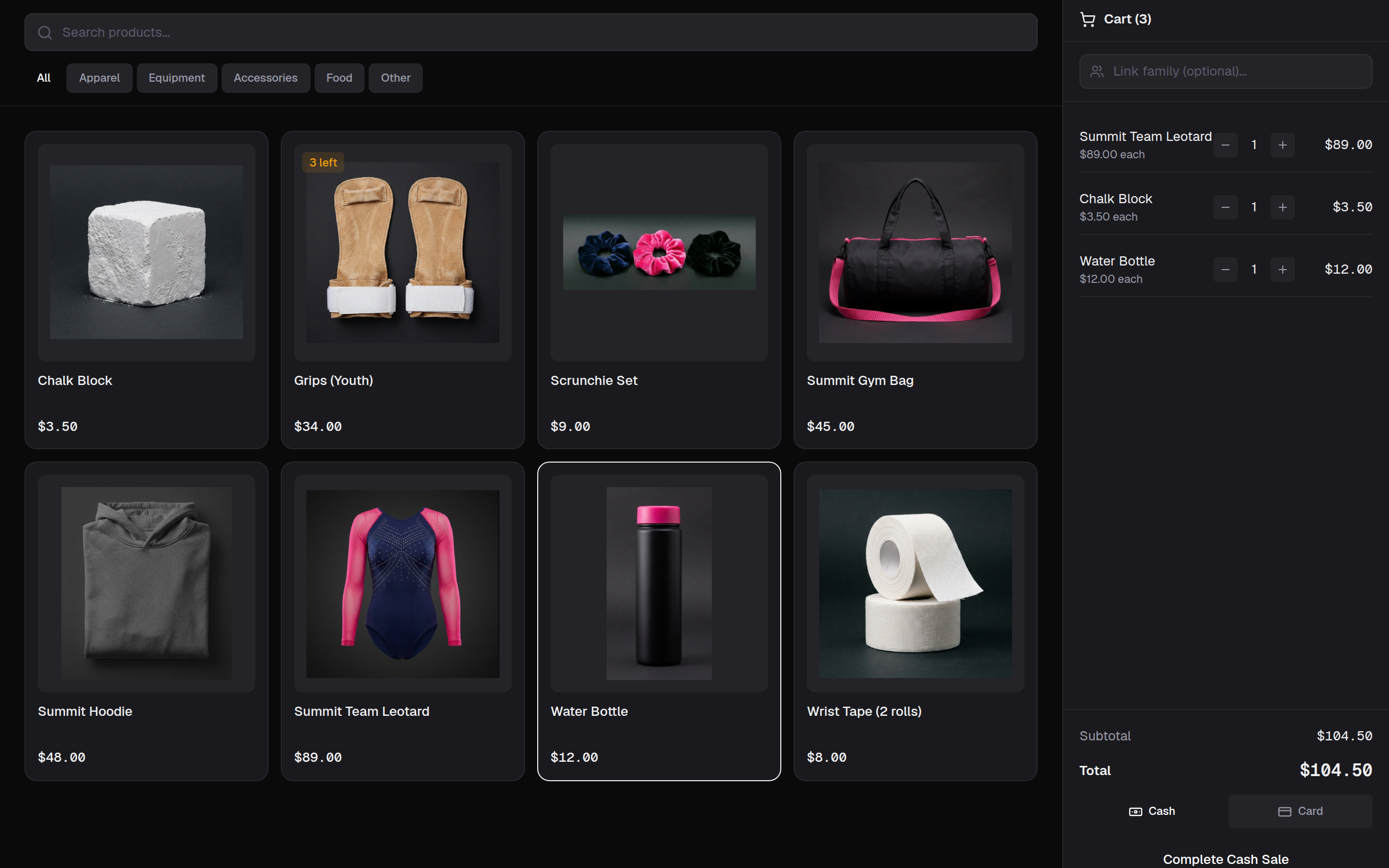
Stick10 point of sale with product photos, stock badges and a cart in progress
Point of sale · a cart in progress, stock badges on the tiles, cash or card

Monthly tuition in one run

Press Run tuition and Stick10 drafts an invoice for every family from their active enrollments: the class price or the family’s price tier, the sibling discount, proration for anyone who started mid-month, and the registration fee when it is due. Review the drafts, then send.

  • Class price or per-class price tiers
  • Sibling discount and mid-month proration applied automatically
  • Registration fee added when it falls due
Invoices, reminders and late fees that run themselves

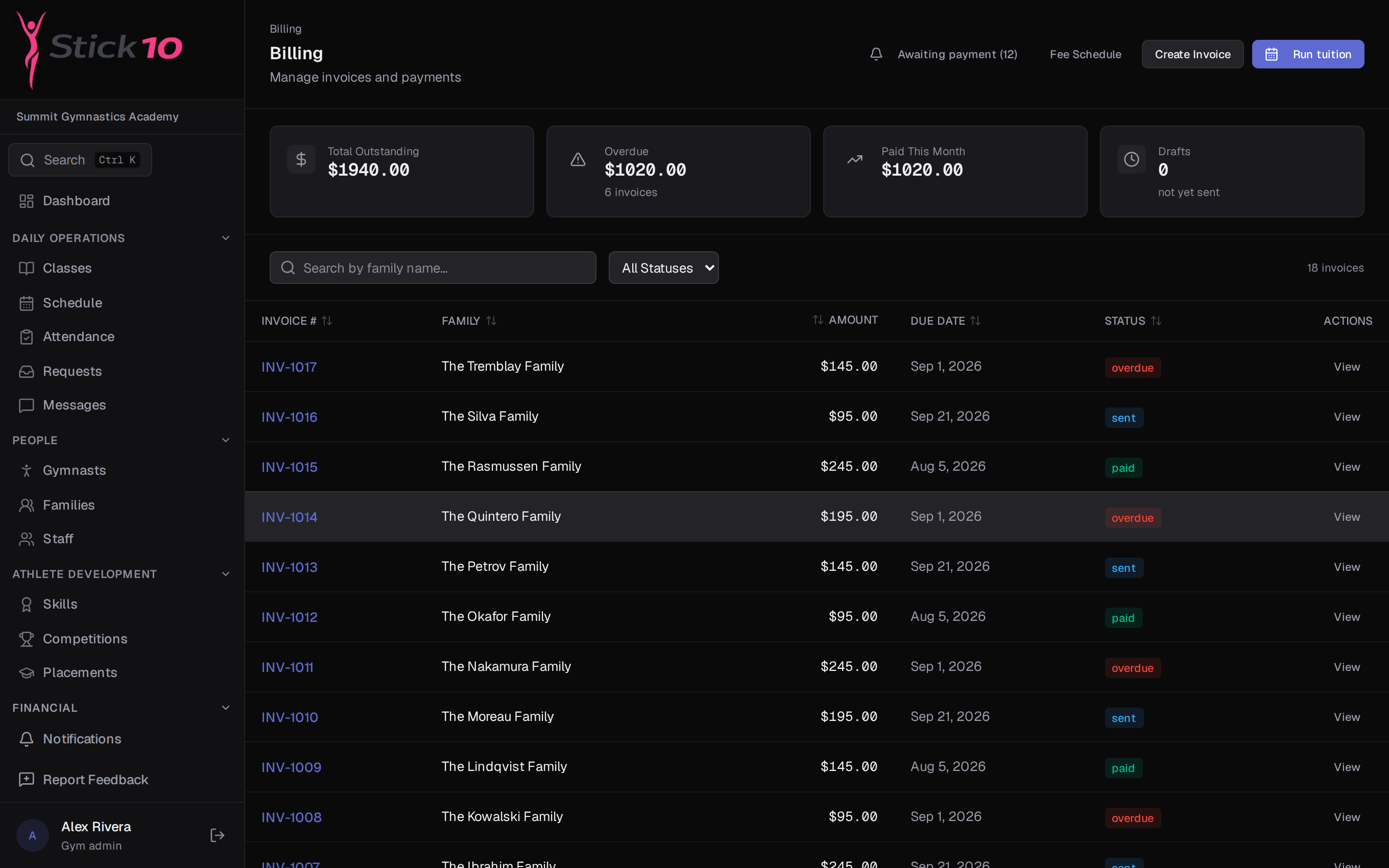
Every invoice moves through draft, sent, paid and overdue. A daily job flips invoices past their due date to overdue, sends the reminders you have configured, and applies late fees according to your policy. Receipts go out by email when a payment lands.

  • Awaiting-payment view for the front desk
  • Reminder and late-fee policy set once in settings
  • Receipts emailed automatically
stick10.com/admin/billing
Stick10 billing page with outstanding, overdue and paid totals above the invoice list
Billing · outstanding, overdue and paid this month, then every invoice with its status

Parents pay from their phone

Connect your gym’s Stripe account and every invoice gets a Pay Now page. Parents see the invoice detail, pay by card, and find the receipt in their payment history. Cash and checks taken at the desk are recorded against the same invoice.

  • Card payments through your own Stripe account
  • Invoice detail and payment history in the parent portal
  • Cash and check payments recorded at the desk

A pro shop and front-desk point of sale

Sell leotards, grips, chalk and open-gym drop-ins from a product grid with sizes and stock levels. Take cash or card, link the sale to a family, and watch inventory with low-stock alerts. Meet fees from a hosted competition are added to family invoices in one step.

  • Product catalog with images, sizes and stock
  • Cash or card, optionally linked to a family
  • Sales history and inventory in one place

Questions about billing

Who processes card payments?+

Card payments run through your gym’s own Stripe account, connected in Settings → Payments. Stripe’s standard processing fees apply and payouts go straight to your bank account.

Do you bill per family or per gymnast?+

Invoices are issued to the family, with each gymnast’s tuition as its own line item. Sibling discounts apply across the family automatically.

What about families who pay cash or by check?+

Record the payment against the invoice at the front desk. The invoice is marked paid and the family gets the same emailed receipt as a card payment.

Can I prorate a gymnast who starts mid-month?+

Yes. Proration is part of the tuition run, so a gymnast who enrolls on the 20th is charged for the remainder of the month rather than the whole of it.

Set up your gym this afternoon.

Create your facility, toggle on your programs, and you have a class roster before your coffee is cold.

Free during beta. No credit card required.