Digital waivers for gymnastics gyms, signed per child

Parents sign from their phone, once per child and per version. The front desk sees who still owes a signature.

No credit card. Free during beta.

  • Versioned templates with annual renewal
  • Waiting-on-a-signature list on the Waivers page
  • Parental consent flow for under-13s
stick10.com/admin/waivers
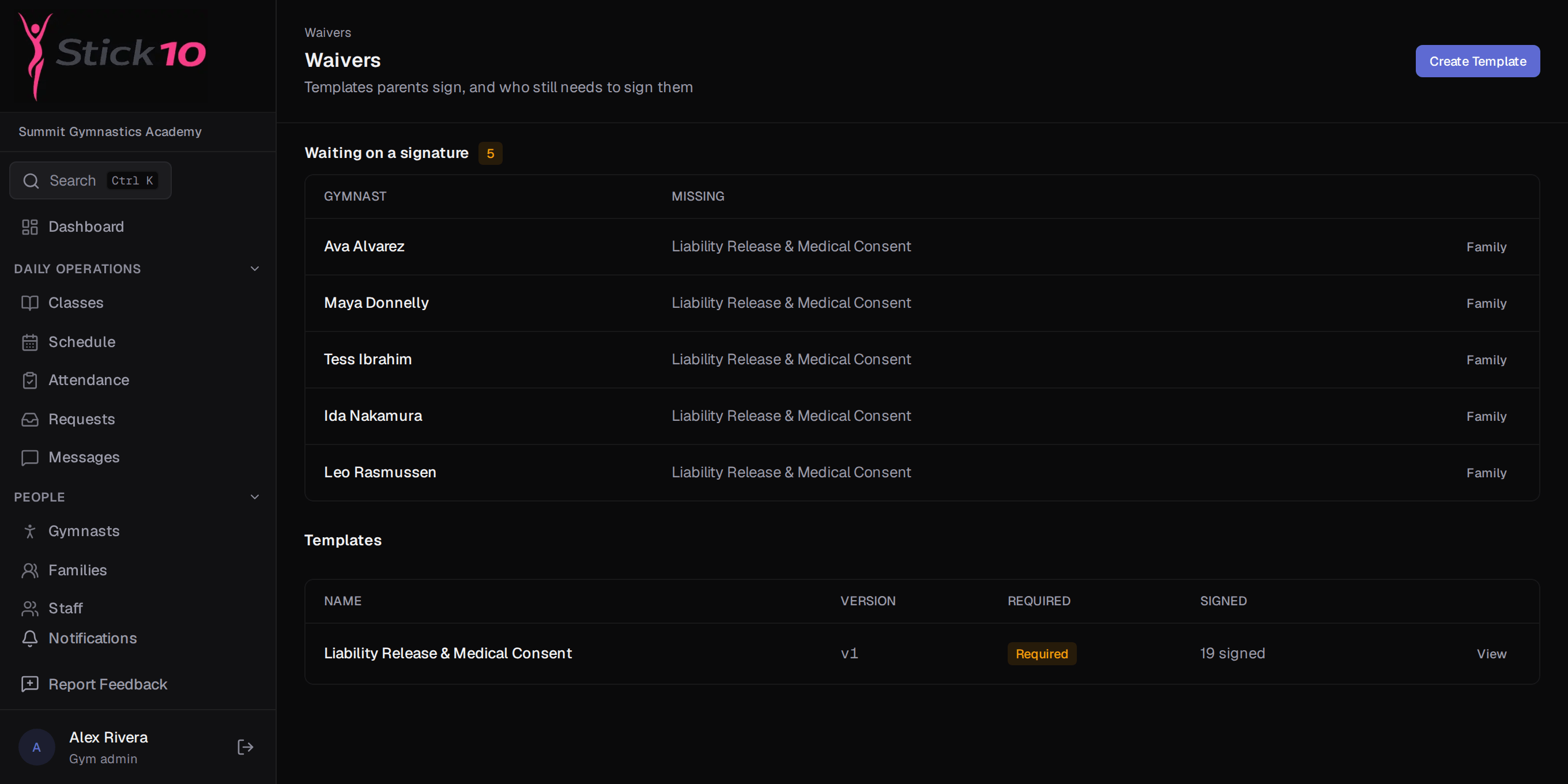
Stick10 waivers page showing gymnasts waiting on a signature and the list of templates
Waiting on a signature at the top, then each template with its version and signed count

Templates with versions and renewal

Start from the built-in draft or paste your own text. Mark a template required and every family with an active gymnast is asked to sign. When the wording changes, publish a new version and families are notified to sign again. Signatures expire on the schedule you set, typically annually.

  • Starter draft to edit, or your own text
  • Required templates trigger a request to every family
  • Versioning and annual renewal built in
Parents sign per child, from their phone

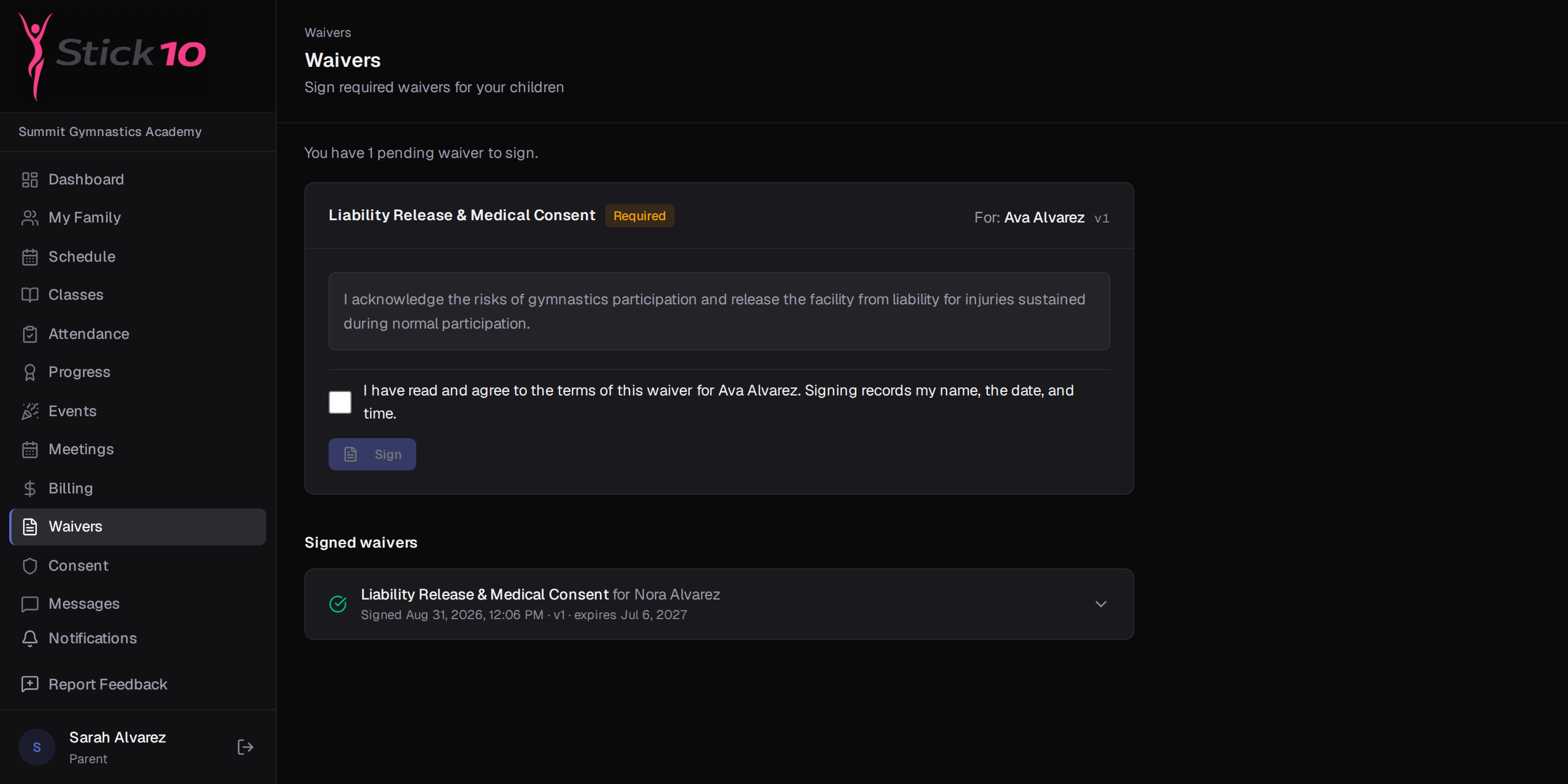
A waiver that is due appears at the top of the parent portal. The parent reads it, signs for each child individually, and the signed copy is in their history from then on.

  • Signed per child, not per family
  • Works on a phone, no printing or scanning
  • Signed history visible to the parent and the front desk

Try it with a sample gym

Every new gym starts with sample classes, gymnasts and families, so you can click through every screen before you add your own.

Start free

No credit card. Free during beta.

stick10.com/parent/waivers
Parent portal waivers page with a waiver to sign for one child
What the parent sees · one waiver to sign, one child, signed history underneath

The front desk always knows who still owes a signature

The Waivers page opens with the list of gymnasts missing a required signature and which template it is. Adding a gymnast invites the parent to the portal, so the waiver is usually signed before the first class.

  • Waiting-on-a-signature list, always current
  • Signed count per template
  • New gymnast → parent invited → waiver first

COPPA consent for gymnasts under 13

Stick10 checks the date of birth on every new gymnast. Under 13, the record is flagged as a minor and linked to a parent or guardian, who gives consent from the portal, or the front desk records consent given in person. Data collection for minors is limited to what running the program needs.

  • Age check on every new gymnast
  • Parental consent from the portal or recorded at the desk
  • Minimum personal information for under-13s

Questions about waivers

Are electronic signatures recorded in a way that holds up?+

Each signature is stored with who signed, when, from which IP address, for which child, and the exact template version they agreed to. Have your own attorney review the waiver text itself; Stick10 records the agreement, it does not write it.

Can I use my existing waiver?+

Yes. Paste your current waiver into a new template. If you do not have one yet, the starter draft covers the usual liability, medical and photo-release sections for you to edit.

What happens when I change the waiver?+

Publishing a revised required template creates a new version. Families are notified, the Waivers page lists everyone who has not signed the new version, and the old signatures stay on record.

Where do emergency contacts and medical notes live?+

On the family, editable by the parent in the portal: contacts, pickup adults, address, emergency contacts and medical notes. Coaches see what they need on the roster.

Last updated

Set up your gym this afternoon.

Create your facility, toggle on your programs, and you have a class roster before your coffee is cold.

Free during beta. No credit card required.

Coming from another system? See how to switch.