Online class signup for your gym’s website

Most new families find a gym on its website, then have to call or email to ask about a class. Stick10 puts your classes and a signup form right there, and hands the request to the front desk with everything already filled in.

No credit card. Free during beta.

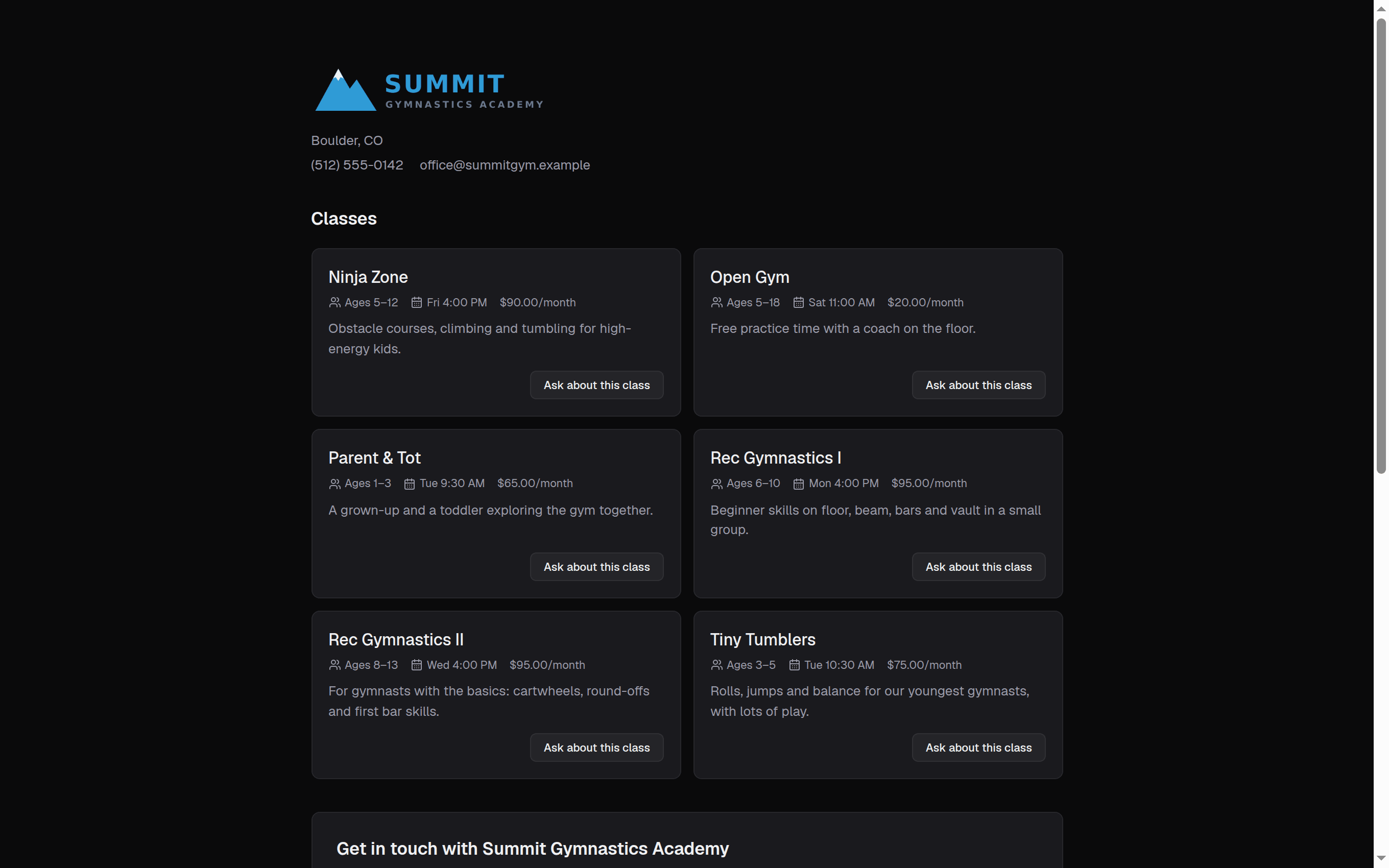
stick10.com/join/summit-gymnastics
A gym’s Stick10 signup page listing classes with ages, days, times and prices, above a request form
Your signup page · your logo, your classes, a form that goes straight to the front desk

Your classes on your own website

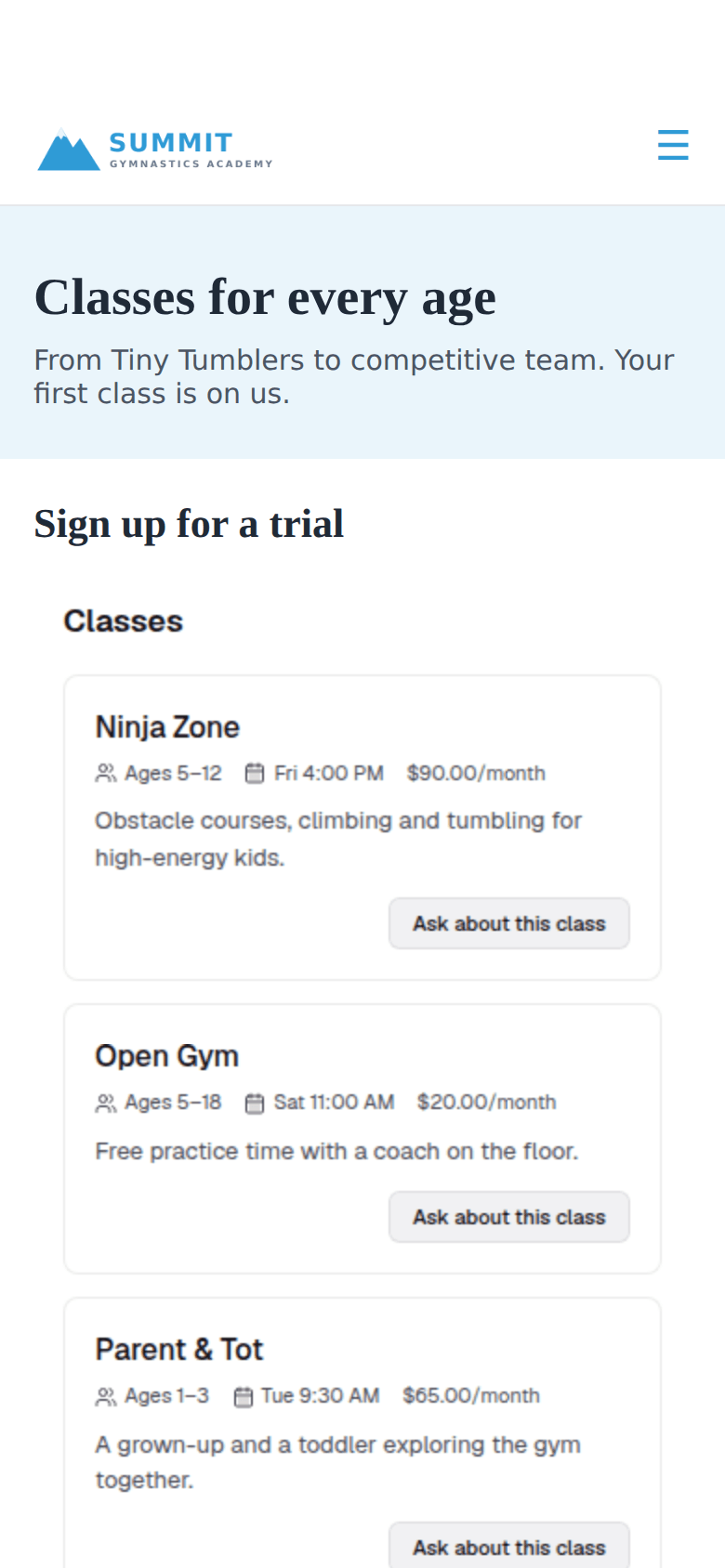
Copy the embed code from Settings → Integrations and paste it into an HTML or embed block on your site, in Squarespace, Wix, WordPress or anywhere else. The form comes in light or dark to match your site and grows to fit, so there is no box scrolling inside your page.

  • Copy and paste, no developer needed
  • Light or dark to match your site
  • Resizes itself to fit your page

A signup page for everywhere else

Every gym also gets its own signup page with its logo. Link to it from Instagram and Facebook, put it in your email signature, or print it as a QR code for the front desk. Families do not need an account to ask.

  • Your own link, with your logo
  • Classes with ages, days, times and prices
  • No account needed to send a request
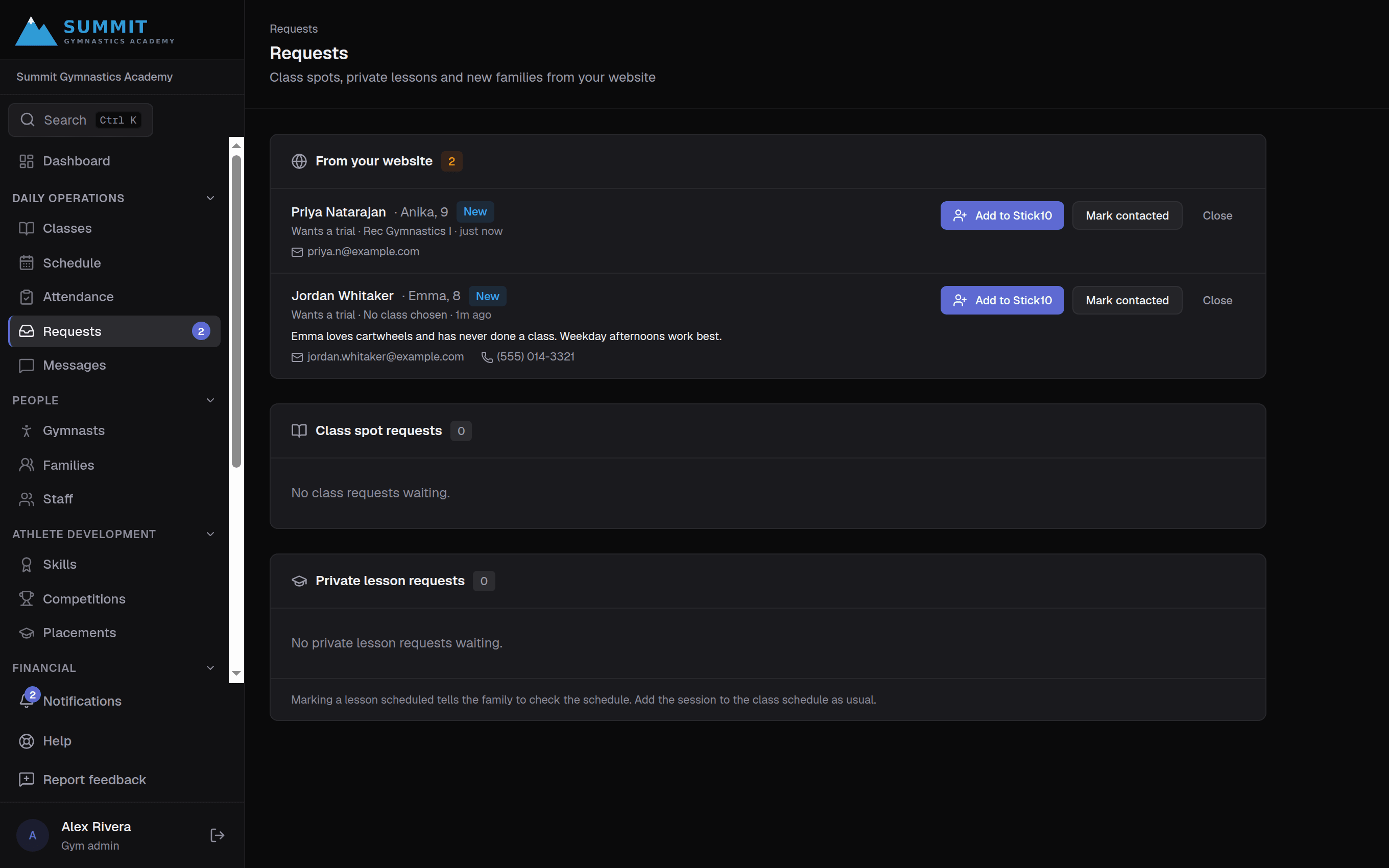
stick10.com/admin/requests
Stick10 Requests page with a new family’s website request and an Add to Stick10 button
Requests · who asked, for which child and class, and one click to add them

Requests land where you already work

A new request shows up in Requests next to class spot and private lesson requests, and your admins get a notification and an email. The family gets a confirmation email from your gym, and when they reply it reaches your inbox.

  • One Requests page for everything families ask for
  • Notification and email to your admins
  • Confirmation email to the family, from your gym

From request to gymnast in one step

Press Add to Stick10 and the usual Add gymnast form opens with the child and parent already filled in. Save it and the family is in Stick10, the parent is invited to the portal, and the request is marked added. For a child under 13, the parent gives consent in the portal when they first sign in.

  • Form filled in from the request
  • Parent invited to the portal
  • Consent for under-13s collected from the parent

You decide what the public sees

The signup page shows the same classes families see in the parent portal, so team and USAG program groups stay hidden unless you open them. A hidden trap field, a timing check and a per-network limit keep form spam out, and nothing becomes a family or gymnast until someone at your gym adds it.

  • Same visibility rules as the parent portal
  • Spam protection built in
  • Off until you turn it on

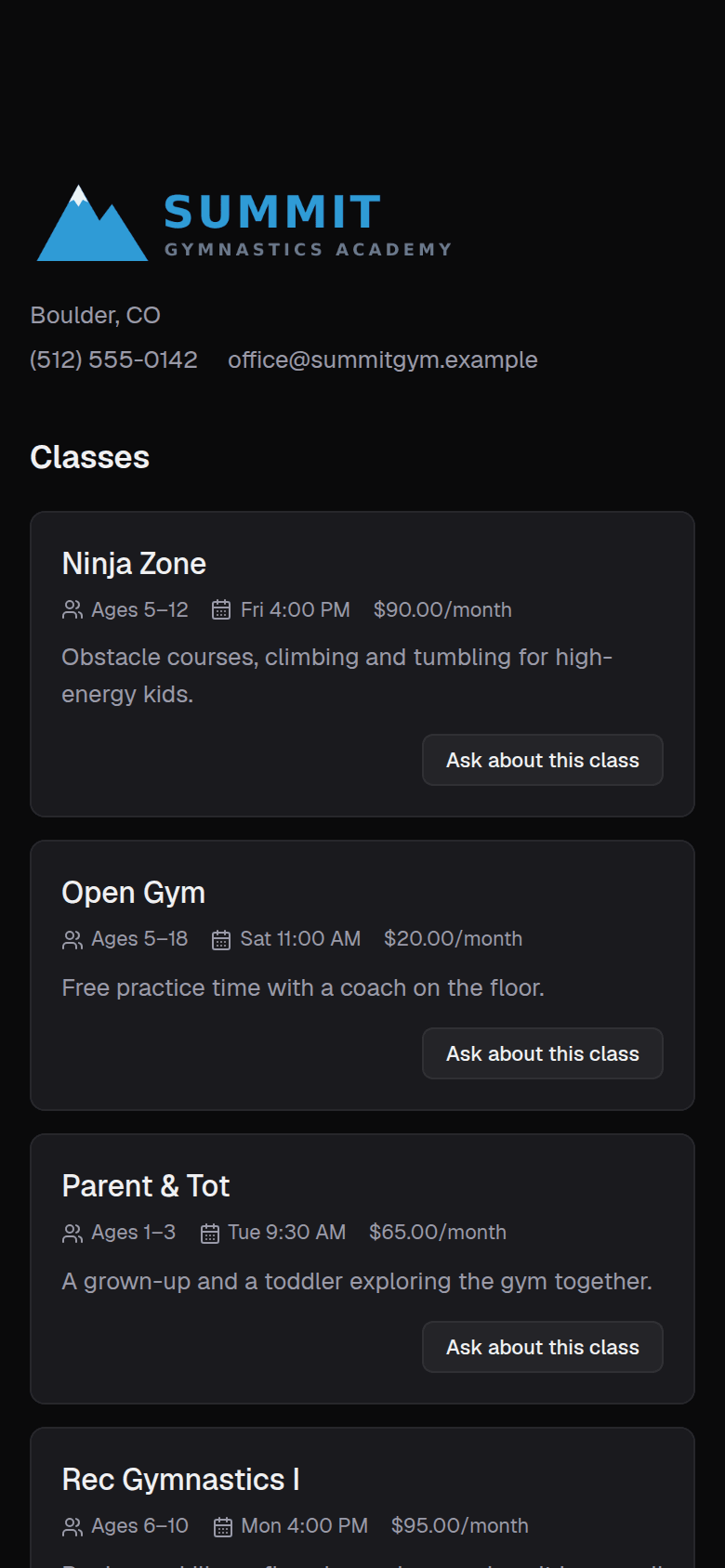
On a phone, where most families find you

The gym’s signup page on a phone
Classes first, then the form
The signup form embedded in a gym’s own website on a phone
Embedded in your own website

Questions about website signup

Do I need a web developer to add it to my site?+

No. Copy the embed code from Settings → Integrations → Website signup and paste it into an HTML or embed block. If your site builder cannot take code, link to your signup page instead.

Which classes appear?+

The ones families can see in the parent portal. You set that per class category in Settings → Policies and can override it per class. Team and USAG program classes are hidden by default.

What about spam?+

The form has a hidden trap field that bots fill in, rejects submissions sent faster than a person can type, and limits how many requests one network can send. Nothing becomes a family or gymnast until someone at your gym adds it.

Do families need a Stick10 account?+

Not to send a request. When you add them, the parent gets an email to set up their portal login.

Set up your gym this afternoon.

Create your facility, toggle on your programs, and you have a class roster before your coffee is cold.

Free during beta. No credit card required.