Gymnastics staff scheduling and time clock software

Give each coach a login with the access their job needs and a time clock on their phone. Hours come out as a report you can hand to payroll.

No credit card. Free during beta.

  • Admin, manager and coach roles
  • Time clock with edits and approval
  • Staff hours report with CSV export
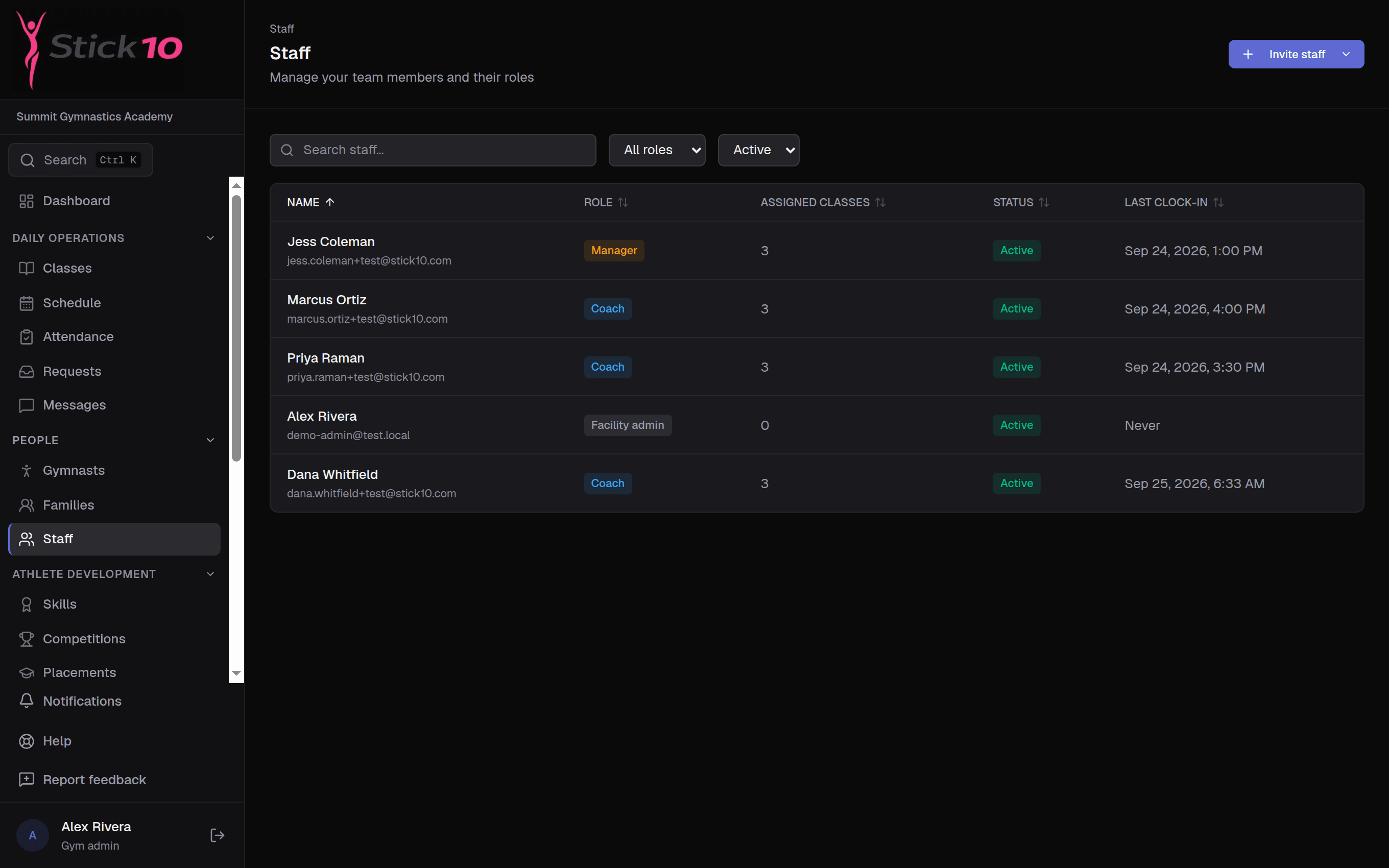
stick10.com/admin/staff
Stick10 staff list with roles, contact details and status
Staff · every login with their role, classes, status and last clock-in

Invite your team with the right access

Invite staff by email and they set their own password. Pick a role, admin, manager or coach, and Stick10 shows them the parts of the gym that role needs. Coaches see classes, rosters and gymnasts, not billing or the gym’s revenue.

  • Email invites with a set-password link
  • Admin, manager and coach roles
  • Profiles with phone, hire date and hourly rate
A time clock on every coach’s phone

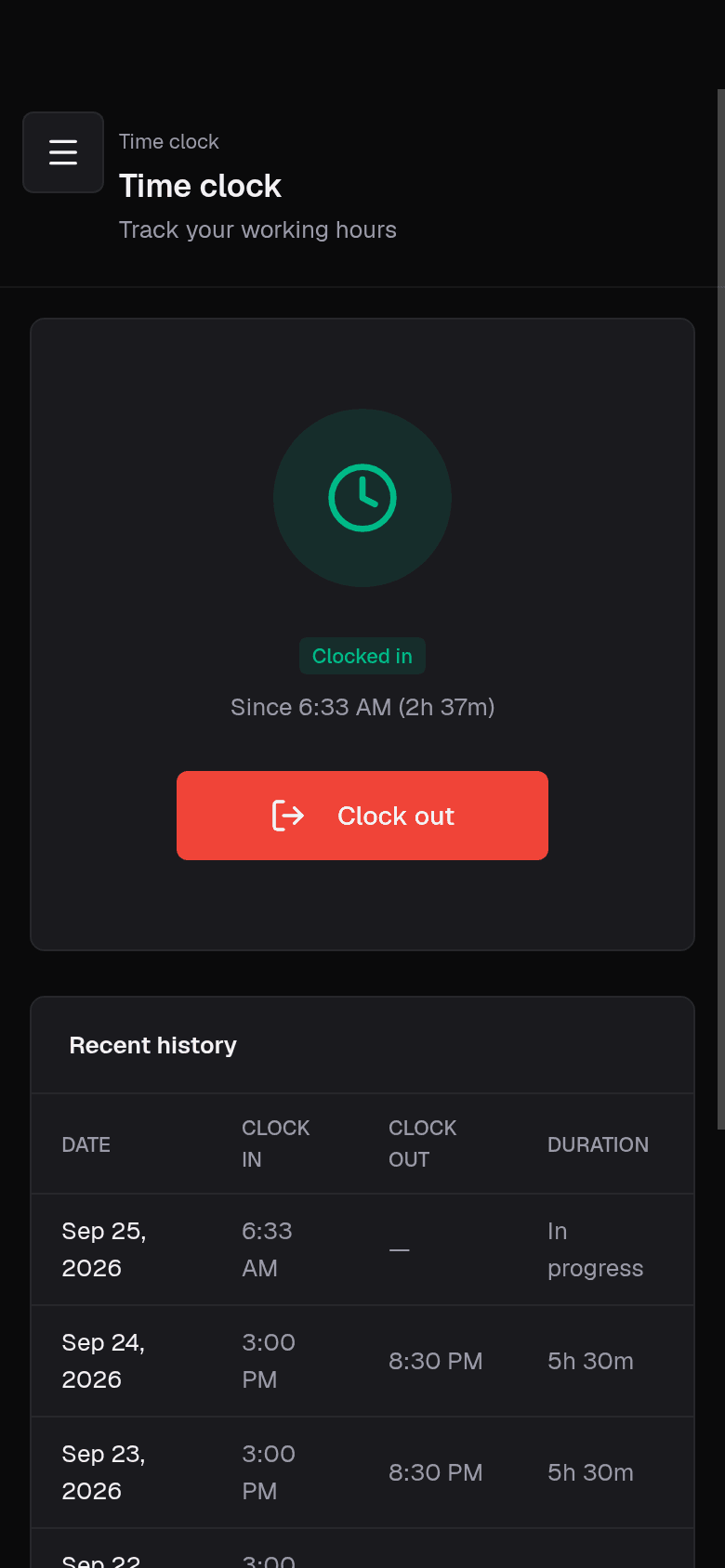
Coaches clock in and out from Stick10 on their phone or the front desk tablet. The owner’s dashboard shows who is on the clock right now, and a manager can correct a missed punch and approve the entry.

  • Clock in and out from any device
  • Who is on the clock, on the dashboard
  • Edits and approval by a manager

Try it with a sample gym

Every new gym starts with sample classes, gymnasts and families, so you can click through every screen before you add your own.

Start free

No credit card. Free during beta.

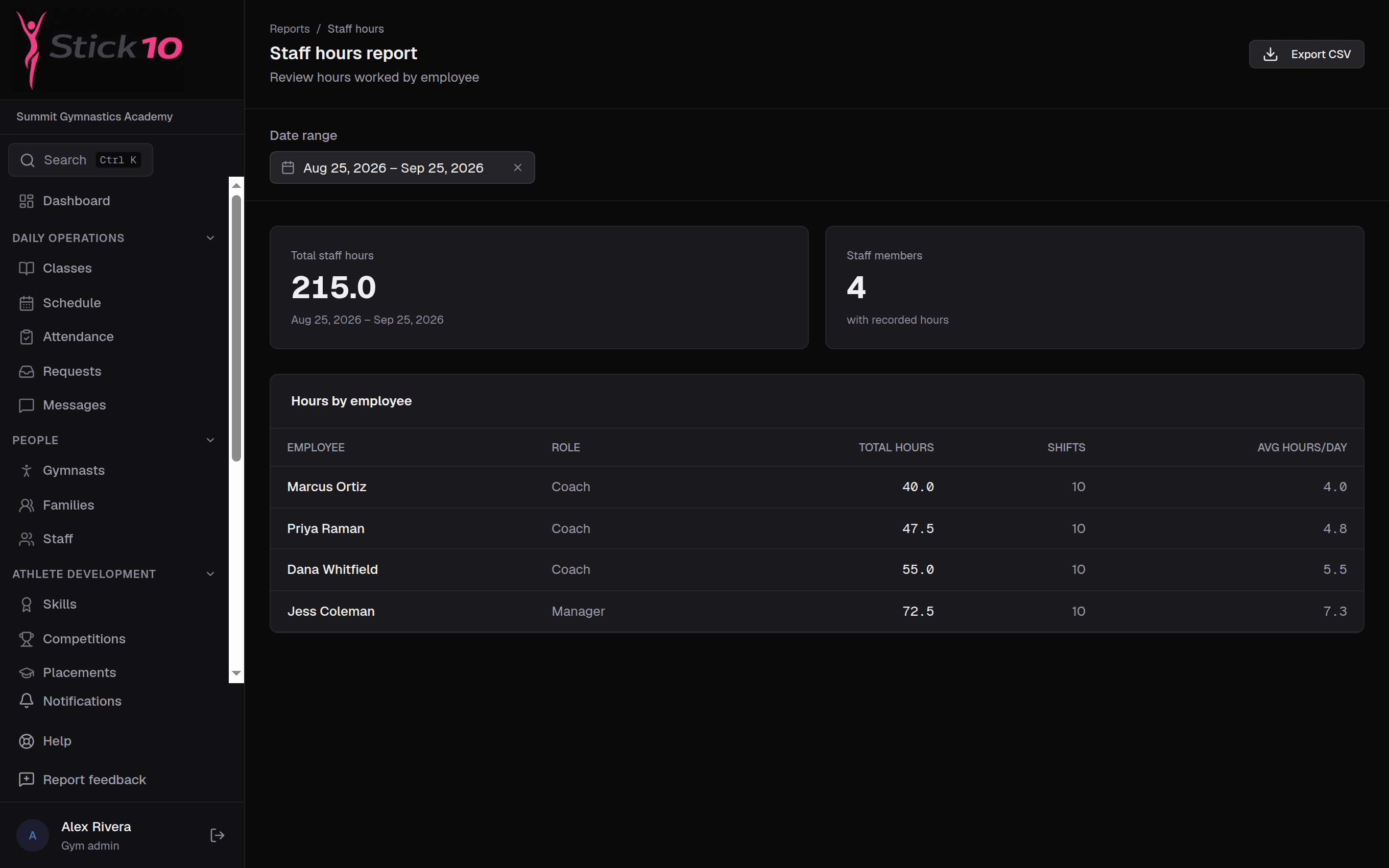
stick10.com/admin/reports/staff-hours
Stick10 staff hours report with total hours and shifts per employee
Staff hours · totals per employee for any date range, exported to CSV for payroll

Hours ready for payroll

The staff hours report totals hours and shifts per employee for any date range. Export it to CSV and hand it to whoever runs payroll. It sits in Reports beside the revenue, enrollment and balances reports and the attendance reports for each class.

  • Hours and shifts per employee
  • Any date range, such as a pay period
  • CSV export for payroll

When someone leaves, their access leaves too

Deactivate a staff member and they are signed out everywhere at once and cannot log back in. Their history, from attendance they took to hours they worked, stays on record.

  • Signed out of every device immediately
  • Login refused from then on
  • History kept for your records

On the coach’s phone

Coach time clock on a phone, clocked in with recent shifts below
Clock in and out, with their recent shifts underneath

Questions about staff & time clock

Do coaches need a separate app for the time clock?+

No. The time clock is part of Stick10 in the phone’s browser, and it can be added to the home screen so it opens like an app.

Does Stick10 run payroll?+

No. Stick10 tracks the hours and exports them to CSV for your payroll provider or accountant.

Can a coach see billing or other families’ details?+

Coaches see their classes, rosters and the gymnast details they need to coach. Billing, revenue and gym settings are for admins and managers.

Is there a limit on staff logins?+

No. Invite every coach and manager you have.

Last updated

Set up your gym this afternoon.

Create your facility, toggle on your programs, and you have a class roster before your coffee is cold.

Free during beta. No credit card required.

Coming from another system? See how to switch.