Gym software that speaks gymnastics

Gymnastics class management software that already speaks USAG

Scheduling, attendance, billing, waivers and meets in one system. Toggle on the programs you run and your classes are created for you.

No credit card. Free during beta.

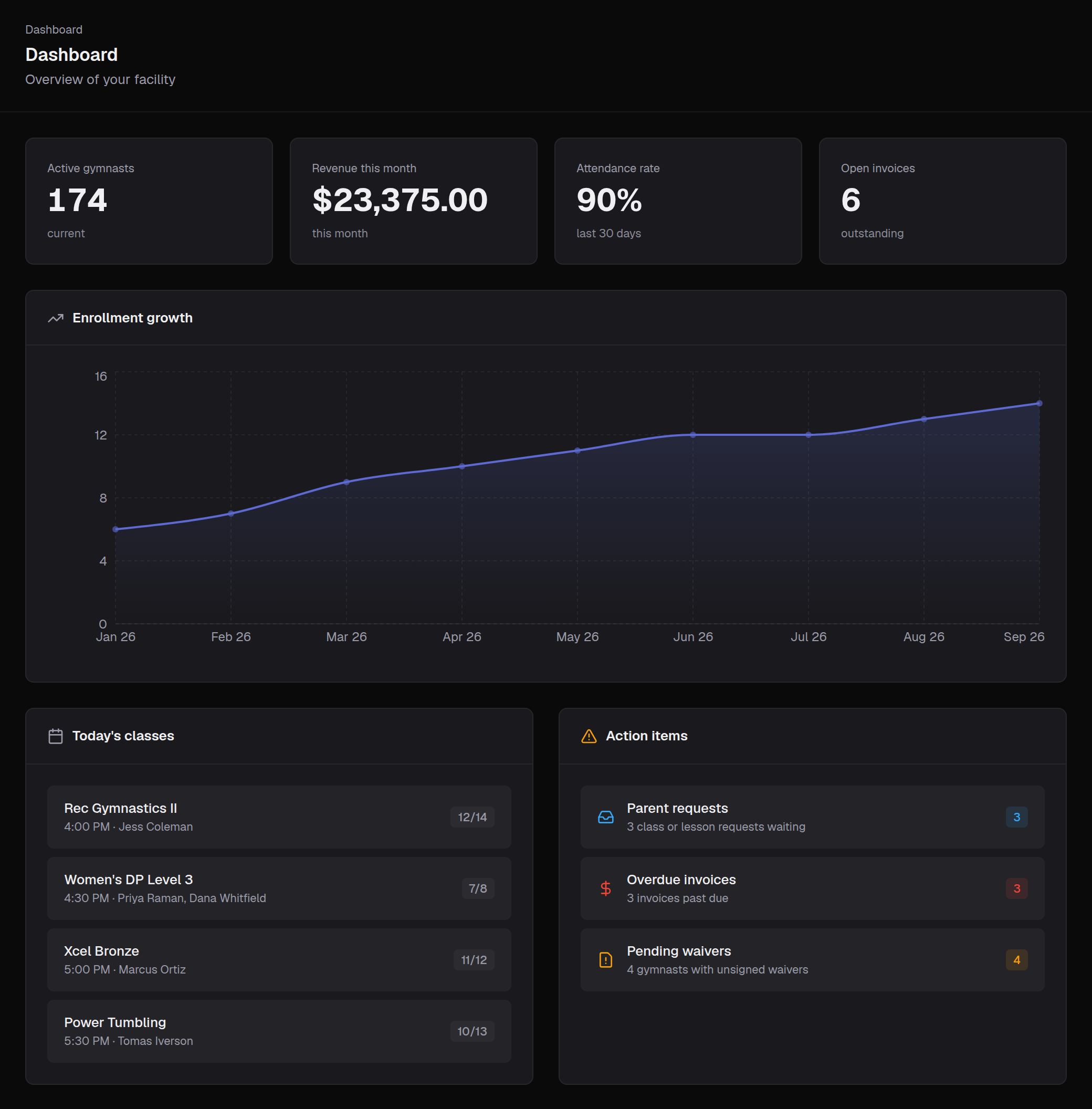
stick10.com/admin/dashboard
Stick10 dashboard: active gymnasts, revenue, attendance rate, open invoices, enrollment growth and today's classes

Built in from day one

  • Women's Development Program
  • Xcel (Bronze–Sapphire)
  • Men's Development Program
  • Trampoline & Tumbling
  • Rhythmic
  • Recreational & Preschool

Set up in minutes

Stick10 already knows what Xcel Gold is.

Generic class software makes you build every level from scratch. Stick10 ships with the USAG programs and common rec classes ready to go. Pick the programs you run and watch your class list appear.

Programs you run

Your classes6 classes created
  • Xcel Bronze XcelAges 5+ · 12 spots · 1 h 30 min
  • Xcel Silver XcelAges 6+ · 12 spots · 2 h
  • Xcel Gold XcelAges 7+ · 10 spots · 2 h 30 min
  • Xcel Platinum XcelAges 8+ · 10 spots · 3 h
  • Xcel Diamond XcelAges 9+ · 10 spots · 3 h 30 min
  • Xcel Sapphire XcelAges 12+ · 10 spots · 4 h

Ages, capacity and duration are filled in for you. Rename, price, assign coaches and open enrollment.

These are the classes Stick10 creates when you toggle a program on.

  1. 01
    Create your gym
    Sign up, name your facility, and you are in. No card, no sales call.
  2. 02
    Toggle on your programs
    Women's DP, Xcel, Men's DP, T&T, Rhythmic, rec, preschool — pick what you run and the levels you offer.
  3. 03
    Your classes are created
    Every level becomes a class with sensible ages, capacity, and duration. Rename, price, assign coaches, and open enrollment.

Everything a gym needs

One system. The whole facility.

Whether you run a competitive team, a rec program or a gymnastics school, Stick10 replaces the spreadsheets, the clipboard, and the three other tools you are paying for, from the front desk to the competition floor.

See the whole gym on one timeline

Every class, coach and apparatus across the week, in a Gantt view that shows collisions before they happen.

More about scheduling
  • Day, week, month and Gantt views
  • Rotation templates you set up once
  • Filter by coach, room or status
stick10.com/admin/schedule
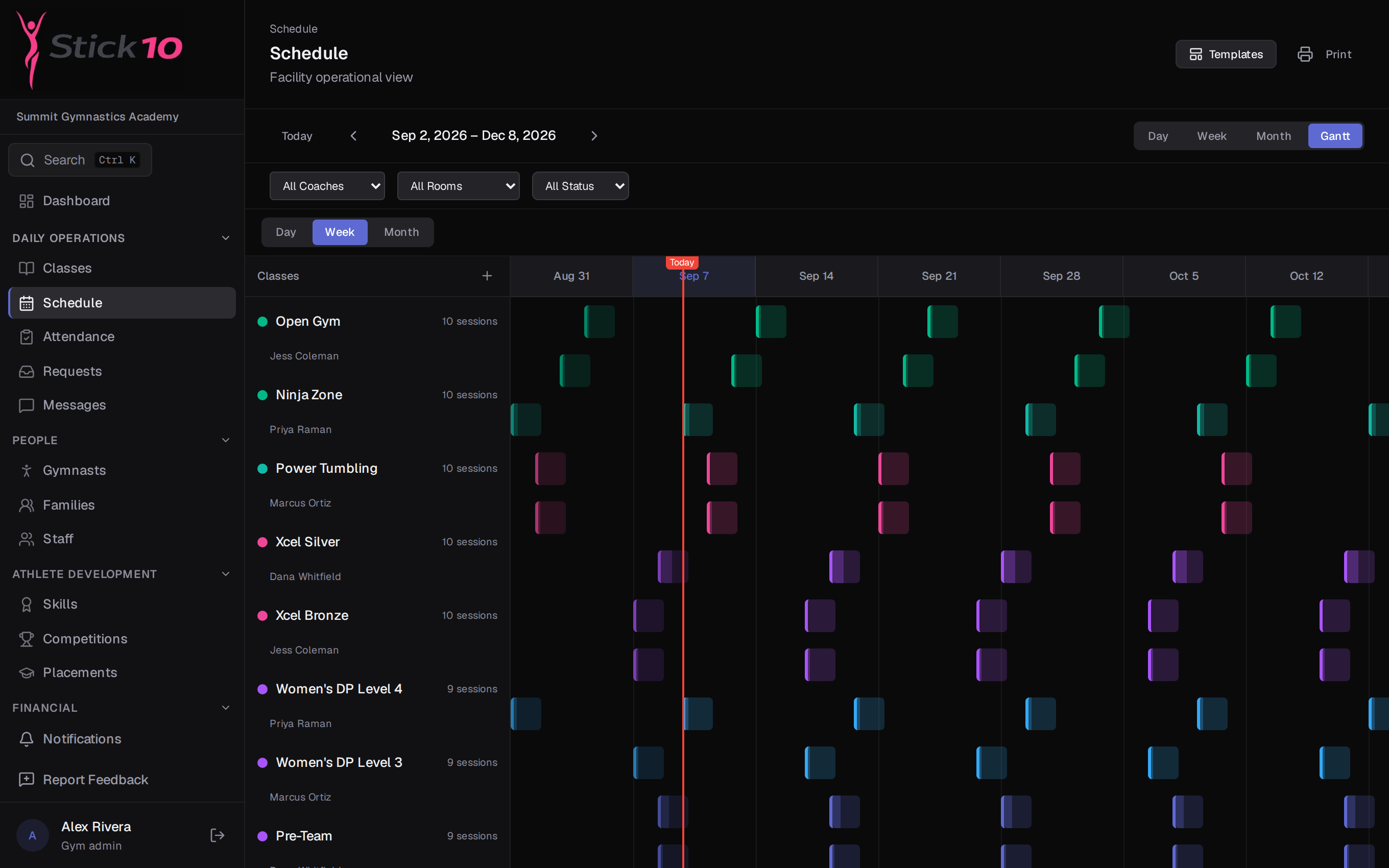
Stick10 schedule in Gantt view, one row per class and one column per week
Gantt view · one row per class, one column per week, today marked in red

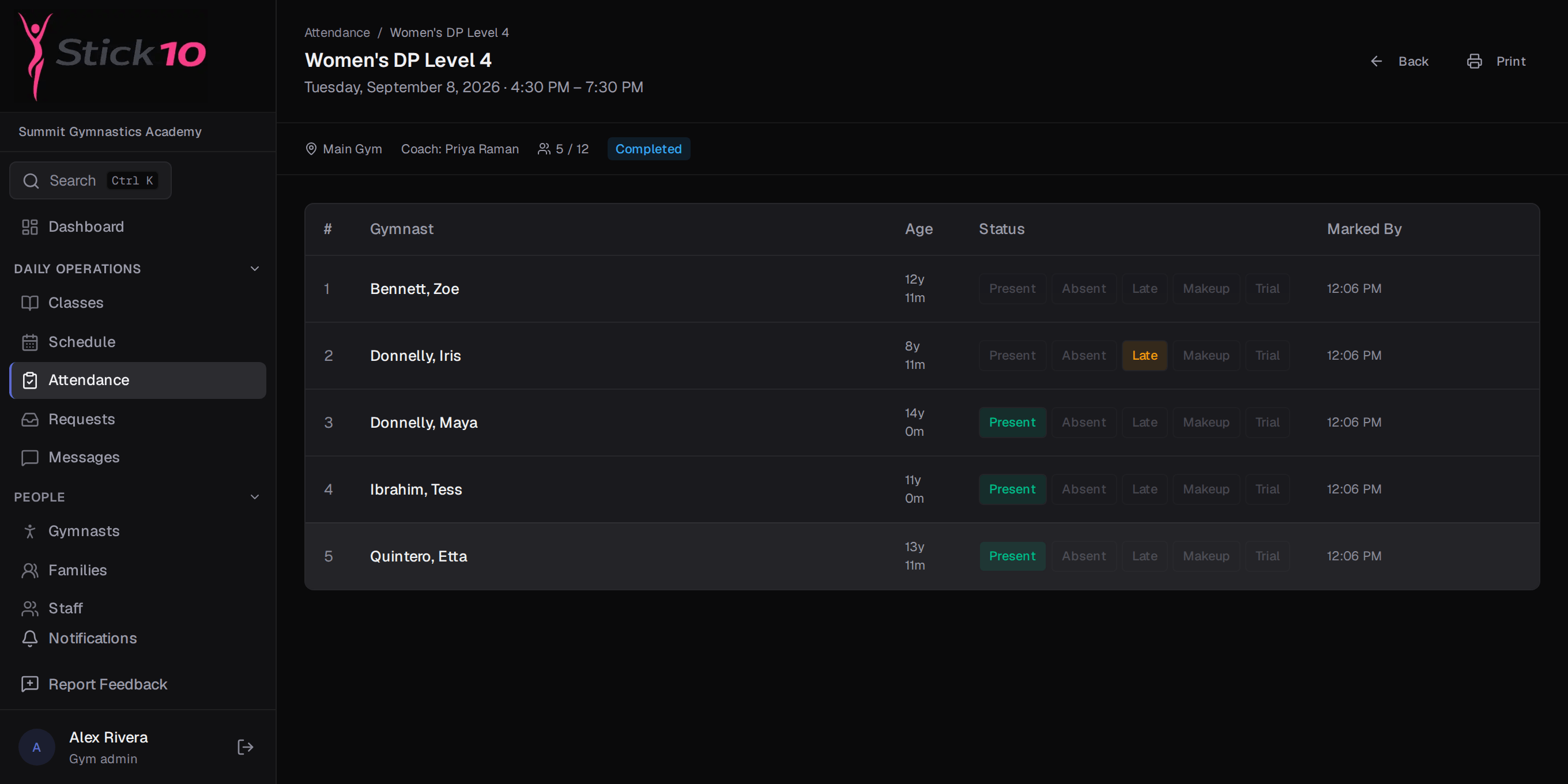
Attendance in one tap per gymnast

Coaches open the roster on a tablet and tap Present, Absent, Late or Make-up. The front desk sees it the moment it happens.

More about attendance
  • Trials and makeups on the same roster
  • Who marked it and when
  • Attendance rate on the dashboard
stick10.com/admin/attendance
Stick10 attendance roster for a class in progress, with gymnasts marked present, absent, late, make-up and trial
A class roster mid-session · Present, Absent, Late, Make-up or Trial per gymnast

Tuition, invoices and the pro shop

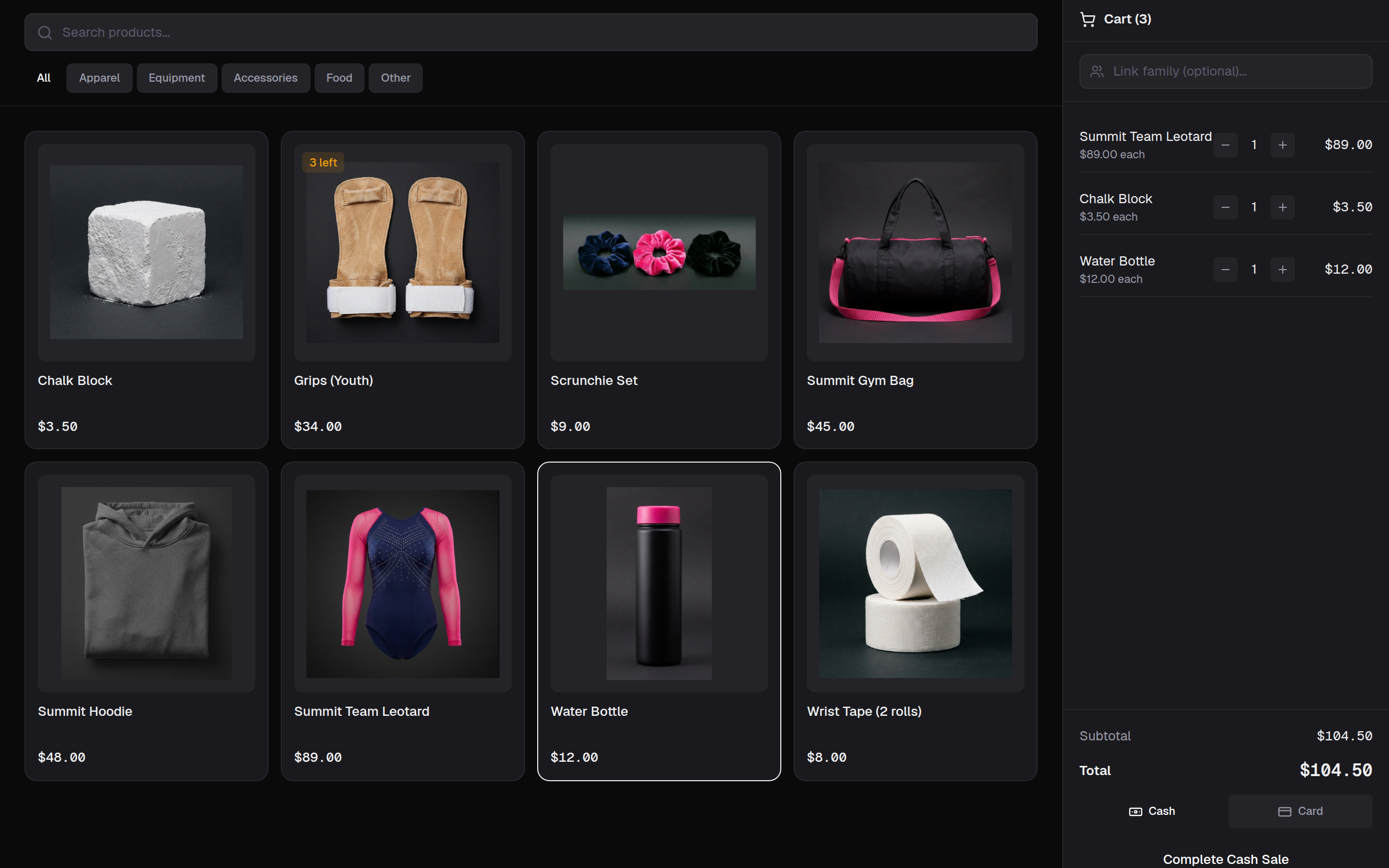
Run monthly tuition in one click, take card or cash at the front desk, and let parents pay from their phone.

More about billing
  • Monthly tuition run with sibling discounts and proration
  • Stripe card payments and a parent Pay Now page
  • Pro shop with stock levels and low-stock alerts
stick10.com/admin/pos
Stick10 point of sale with product photos, stock badges and a cart in progress
Point of sale · a cart in progress, stock badges on the tiles, cash or card

Competitions, hosted or away

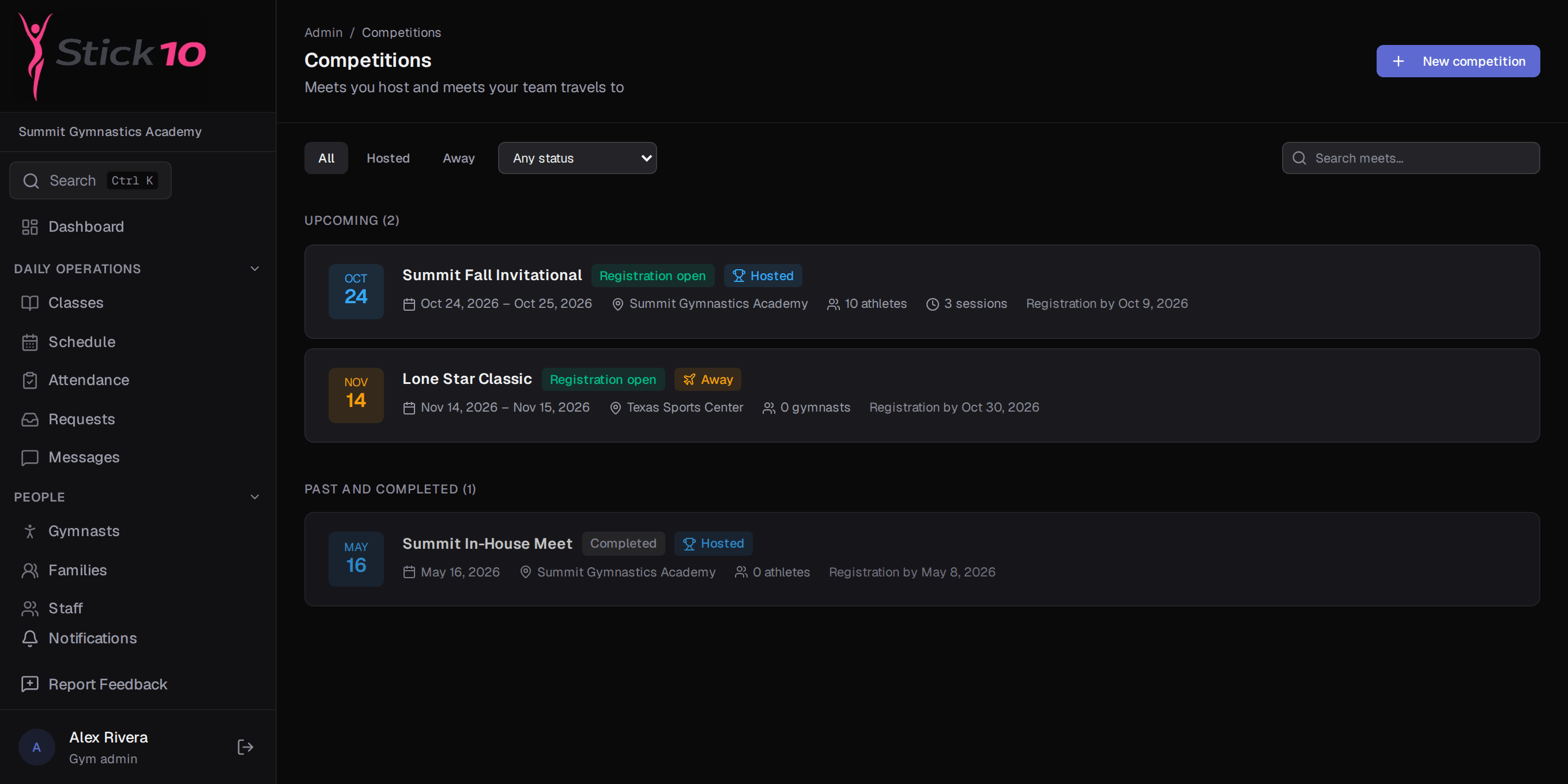
Sessions, levels, clubs, athletes, age divisions, squads, scoring and results, the way USAG structures them.

More about competitions
  • Xcel and Development Program levels built in
  • Meet fees added to family invoices in one step
  • Results export to CSV
stick10.com/admin/competitions
Stick10 competitions list with a hosted invitational, an away meet and an in-house meet
A hosted invitational, an away meet and last season’s in-house

Waivers signed before the first class

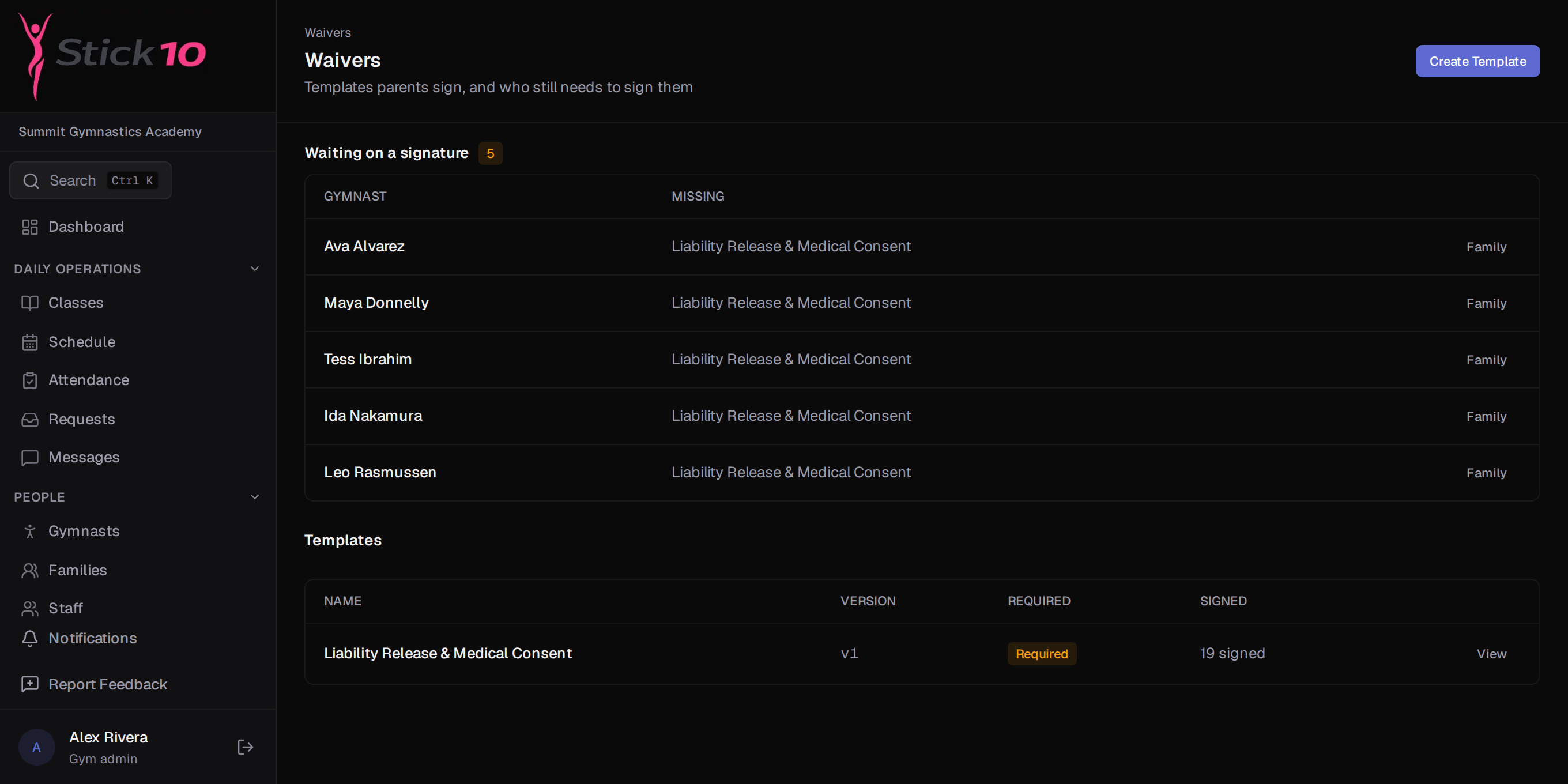
Parents sign online, per child. The front desk sees exactly who still owes a signature, and COPPA consent is built in for gymnasts under 13.

More about waivers
  • Versioned templates with annual renewal
  • Waiting-on-a-signature list on the Waivers page
  • Parental consent flow for under-13s
stick10.com/admin/waivers
Stick10 waivers page showing gymnasts waiting on a signature and the list of templates
Waiting on a signature at the top, then each template with its version and signed count

Messages that reach every family

Direct messages between coaches and parents, plus announcements to the whole gym, all in the app instead of a group text.

More about messaging
  • Announcements to everyone, parents only or staff only
  • Unread counts in the sidebar
  • Parents can start a conversation with a coach
stick10.com/admin/messages
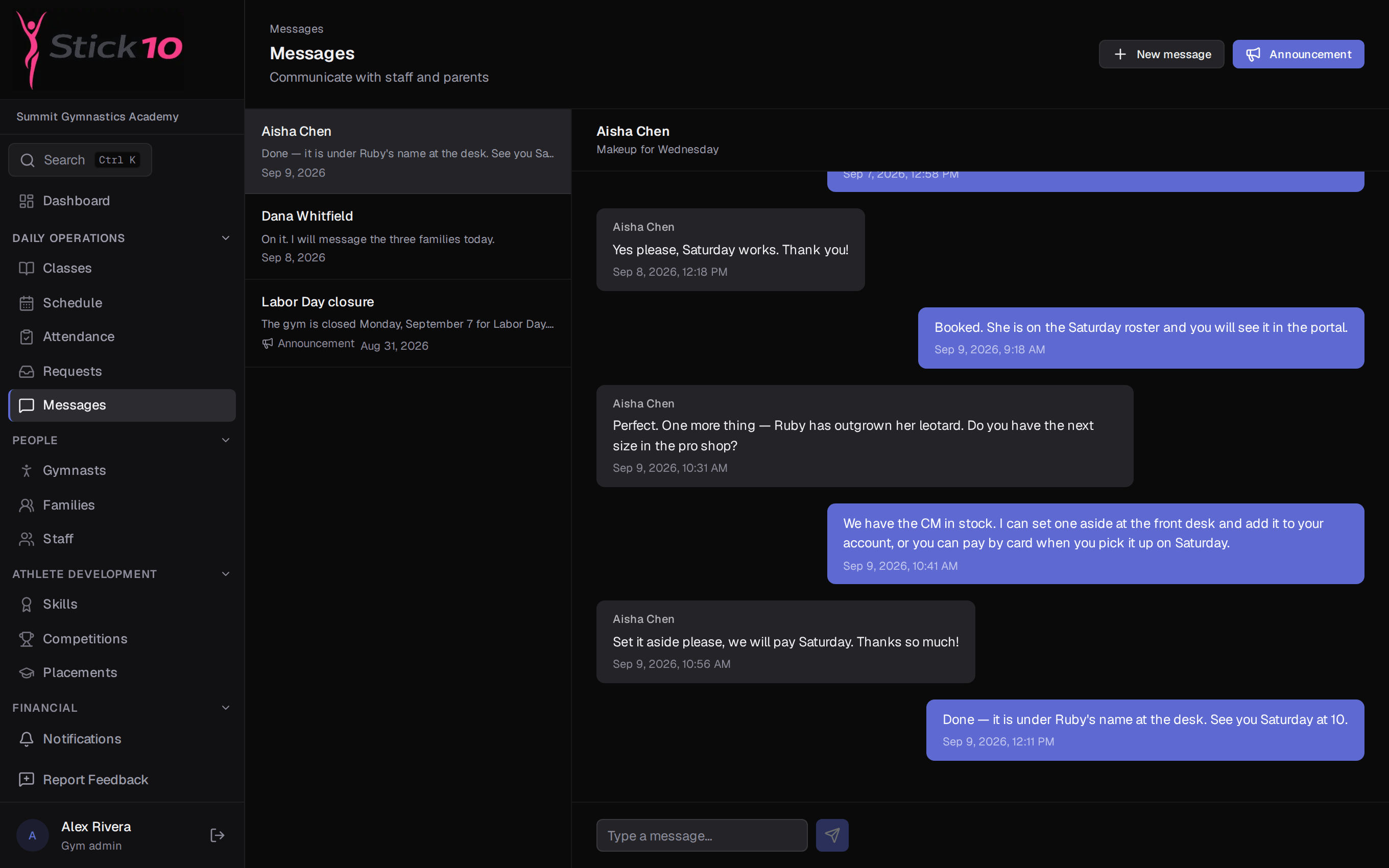
Stick10 messages page with a conversation between a coach and a parent
A conversation with a parent · every message on the family’s record

For families

Parents get the answers before they call the front desk.

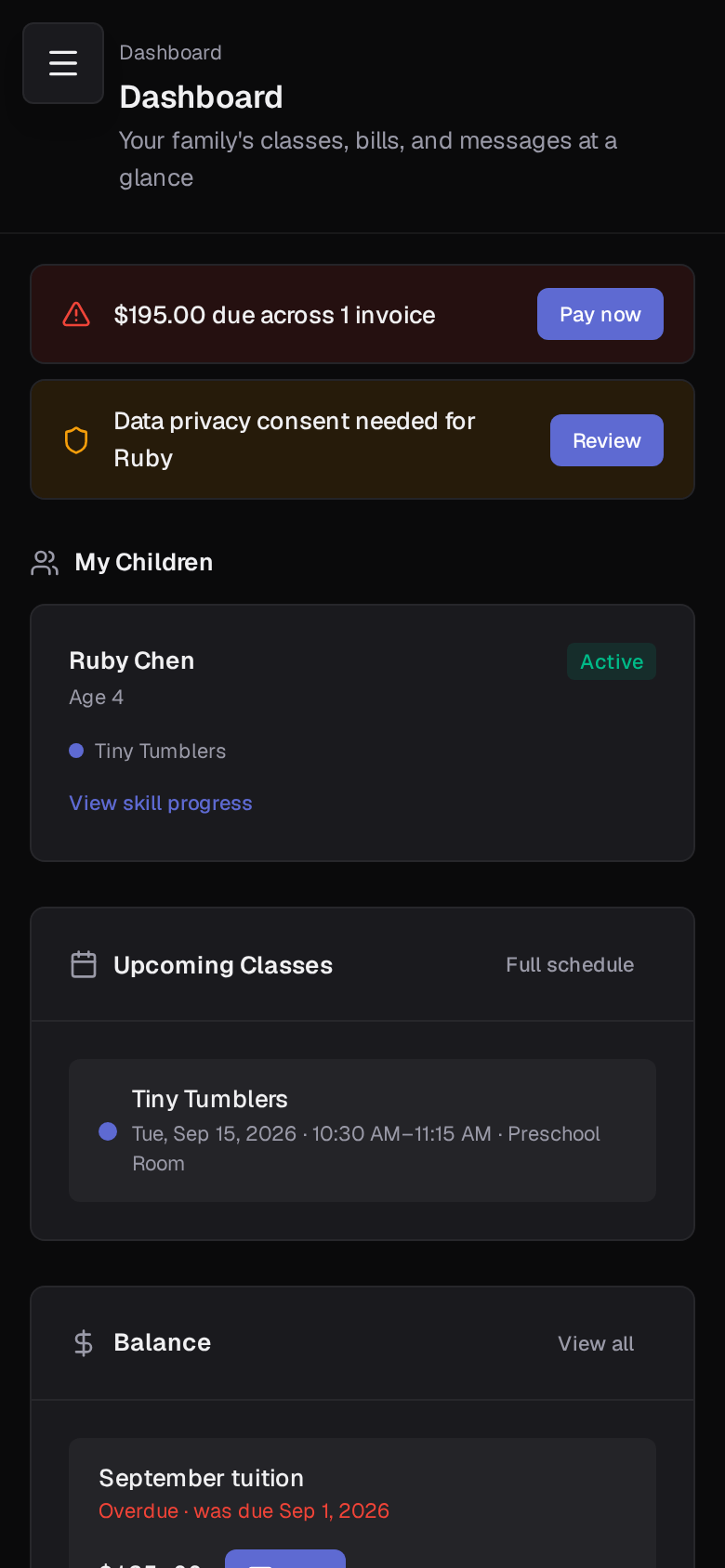
The parent portal works on any phone. It opens on what needs attention today: a balance due, a waiver to sign, an unread message. Under that, each child, their classes, and the week ahead.

  • Pay from the phone

    Card payments through Stripe, receipts by email.

  • Sign waivers per child

    New or updated waivers show up on the dashboard.

  • See the week

    Class times, locations, coaches, and cancellations.

  • Message a coach

    Start a conversation without hunting for a phone number.

  • Follow their progress

    Skills each child is working on and has achieved.

  • Your gym, your logo

    Your logo in the portal, on invoices and on every email.

More about the parent portal
Parent portal dashboard on a phone

Children’s data

Built for a business full of kids.

A gym holds birthdays, medical notes and pickup lists for hundreds of children. Stick10 is built so the right people see them and nobody else does.

  • Families see only their own

    Every parent screen is limited to that family’s children, invoices and waivers.

  • Access by role

    Coaches see classes and rosters. Billing and settings stay with admins and managers.

  • Staff access ends at once

    Deactivate someone and they are signed out of every device and cannot log back in.

  • COPPA built in

    Under-13s are flagged, linked to a guardian, and need parental consent.

Card payments are processed by Stripe on your gym’s own account; card numbers never touch Stick10.

Public beta

We are building this with gym owners, not for them.

Stick10 is in public beta. It is free while we get it right, and there is a Feedback button on every page that goes straight to the people writing the code. Tell us what your gym needs and watch it show up.

  • Free during beta — no card, no trial clock
  • Advance notice before anything is ever billed
  • Your feedback shapes the roadmap
  • Import from CSV; your data stays yours

Questions gym owners ask

Is Stick10 really free?+

Yes. Stick10 is free for the whole beta period, with no credit card and no trial clock. When beta ends you will get advance notice before anything is billed, and you can export your data at any point.

What does "beta" mean for my data?+

Stick10 runs on the same production infrastructure it will run on after beta, and every gym’s data is kept separate from every other gym’s. Beta means the product is still growing, not that your data is at risk.

We use another system today. Can we switch?+

Yes. Export a spreadsheet from your current system and import gymnasts, families, classes, staff, skills, events and products from CSV. A setup checklist walks you through the rest, and most gyms are up and running the same afternoon.

How do you handle children’s data?+

Gymnasts under 13 are flagged as minors and linked to a parent or guardian, who gives consent from the portal (or the front desk records consent given in person). We collect the minimum personal information needed to run your program, and each family sees only its own records.

Will families see Stick10 or my gym?+

Your gym. Upload your logo and it appears in the portal, on invoices and the Pay Now page, and at the top of every email. Emails go out as your gym “via Stick10” and replies land in your inbox.

Which USAG programs are supported?+

Women's Development Program (Levels 1–10), Xcel (Bronze through Sapphire), Men's Development Program (Levels 1–10), Trampoline & Tumbling (Levels 1–10 plus Open), and Rhythmic (Levels 3–10), plus common recreational, preschool, and specialty classes.

Set up your gym this afternoon.

Create your facility, toggle on your programs, and you have a class roster before your coffee is cold.

Free during beta. No credit card required.