Skills tracking and level placements for gymnastics gyms

Every gym has a skills sheet and a placement season. Usually the sheet is on a clipboard and the season is a spreadsheet, a stack of emails and a sign-up sheet on the lobby door. Stick10 keeps both on the gymnast’s record.

No credit card. Free during beta.

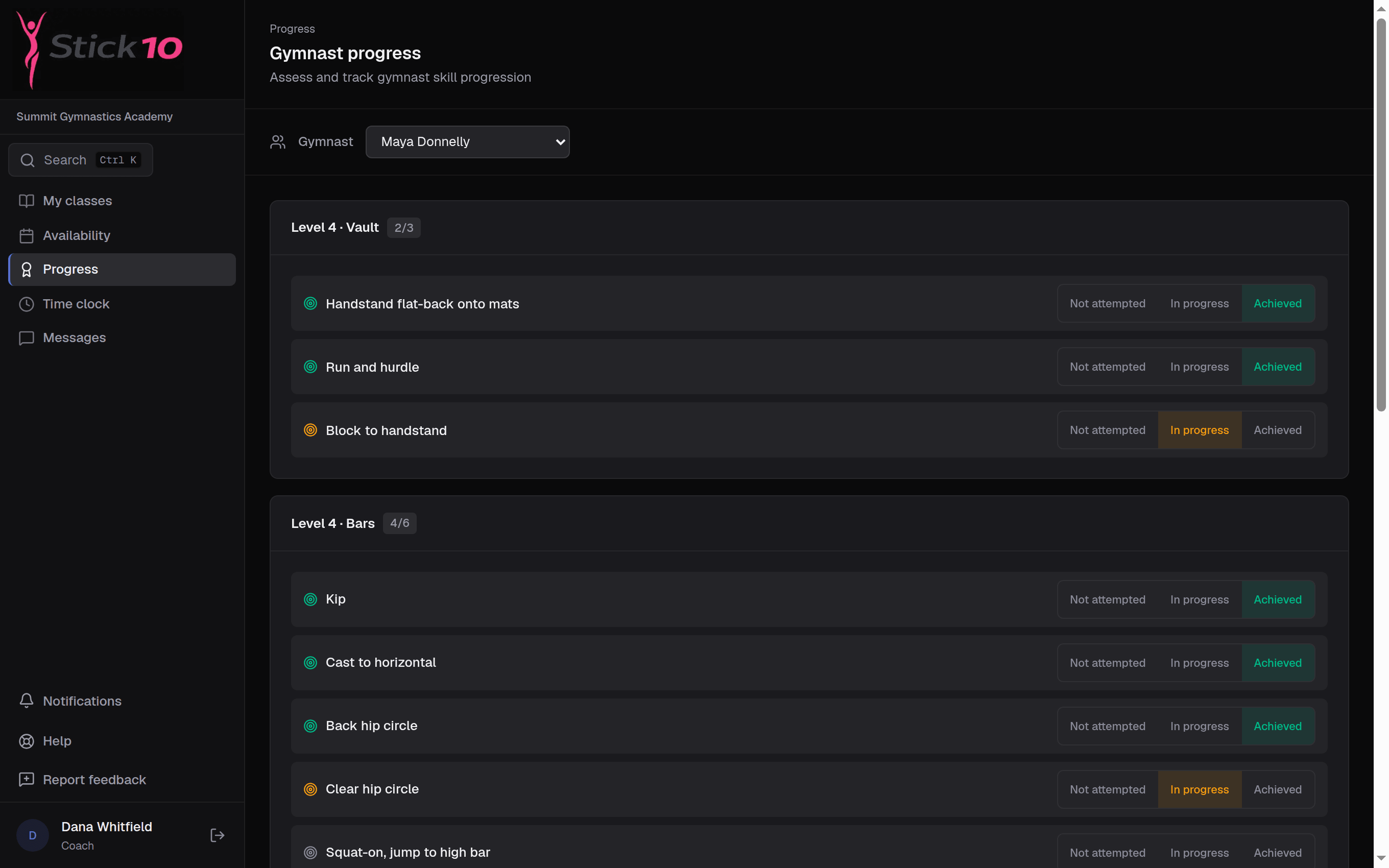
stick10.com/coach/progress
Stick10 coach progress page with a gymnast’s skills grouped by category and marked in progress or achieved
Gymnast progress · skills grouped by category, marked not attempted, in progress or achieved

Skill lists by level

Set up skill categories for each level, such as Level 3 bars or Xcel Silver floor, and the skills in each. Build them by hand or import them from a spreadsheet you already have.

  • Categories per level with skills in order
  • Import skill lists from CSV
  • One list shared by every coach

Coaches mark progress as it happens

A coach picks a gymnast and marks each skill not attempted, in progress or achieved, from a tablet on the floor. Stick10 records who marked it and when, so the next coach sees where the gymnast is.

  • Three states per skill, one tap each
  • History of who marked what
  • Works on any tablet or phone
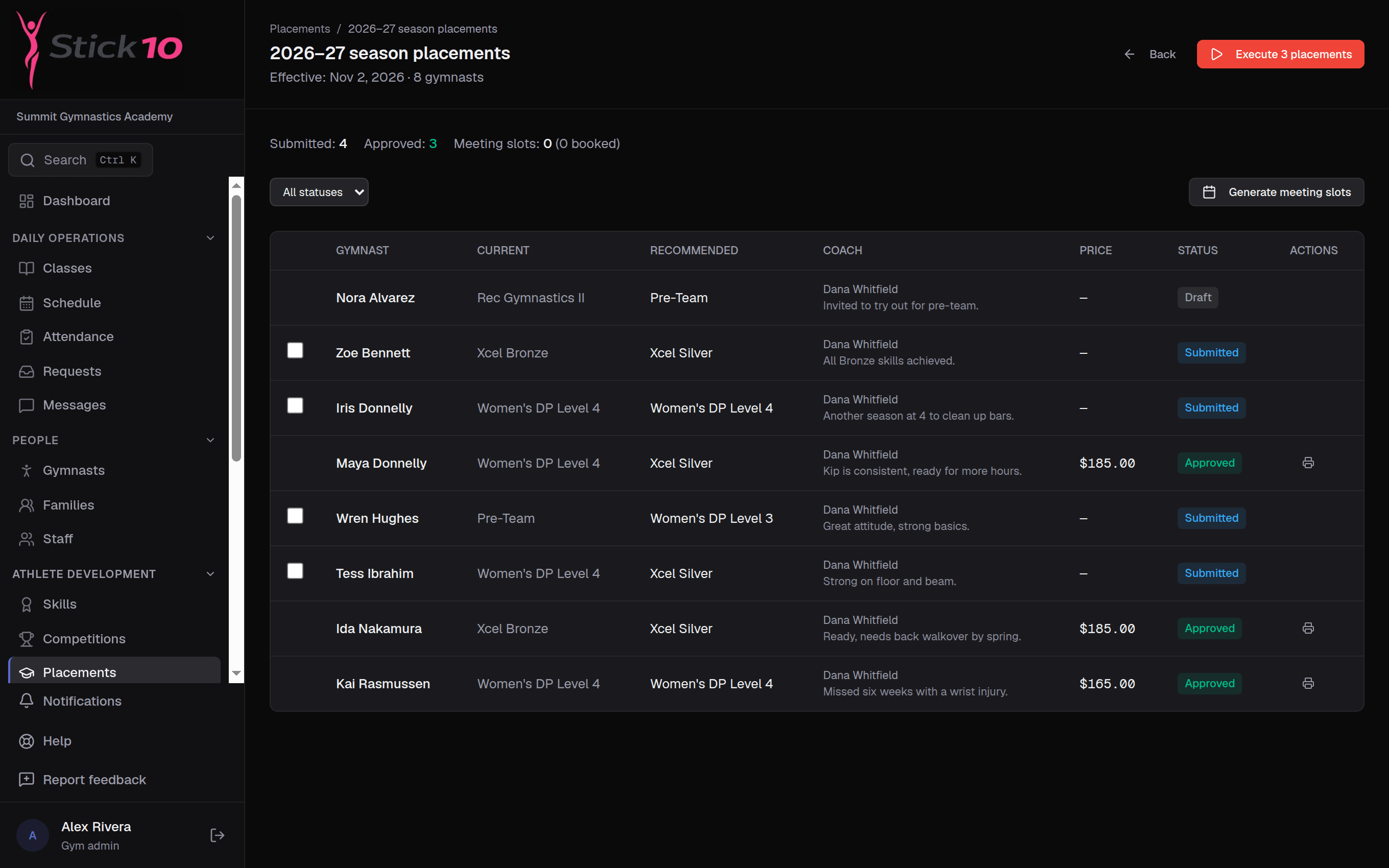
stick10.com/admin/placements
Stick10 placement cycle with coach recommendations waiting for review
Placement season · coach recommendations, review, meetings and the move-up

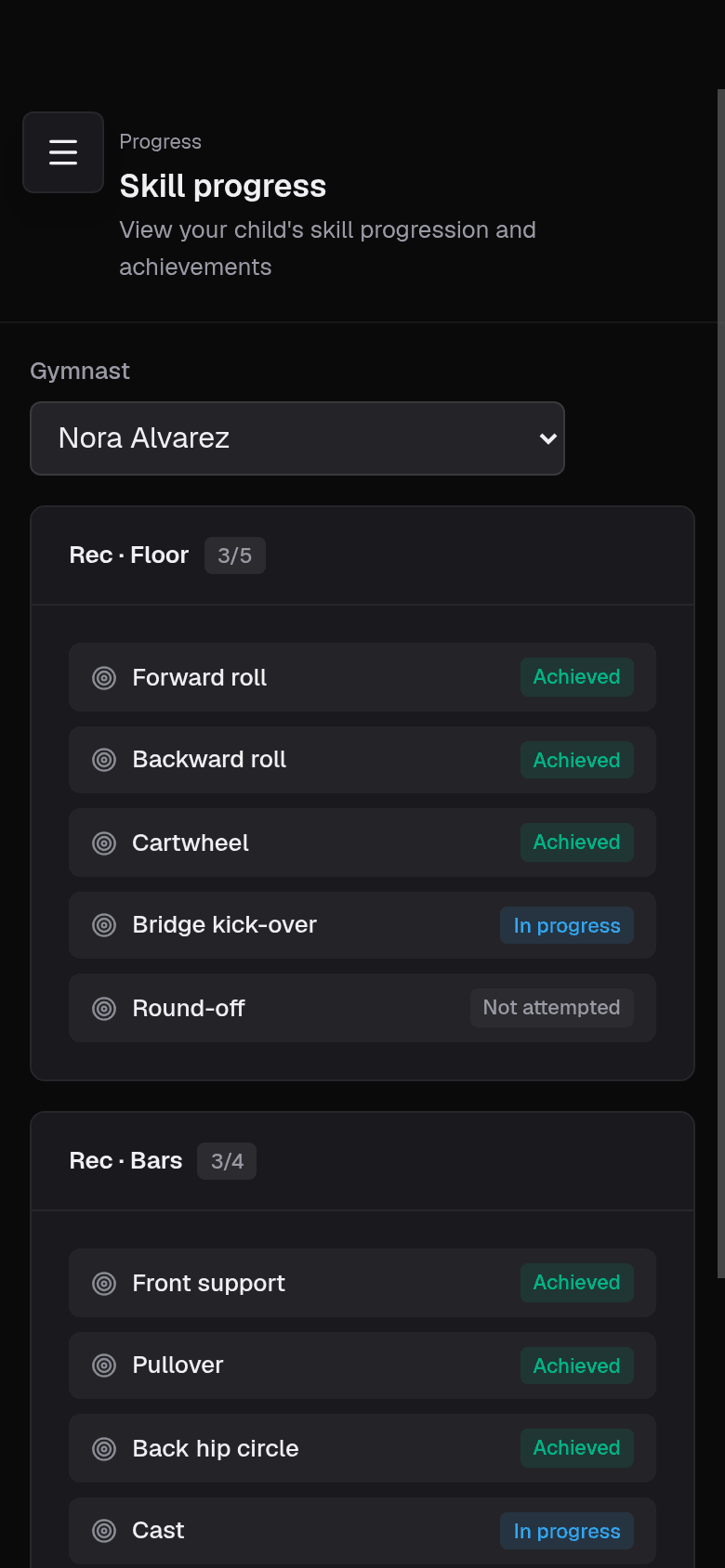
Parents see progress in the portal

Each child’s skills page in the parent portal shows the same list the coaches use. Parents stop asking “when will she move up?” when they can see exactly what is left.

  • Skill progress per child, by level
  • Nothing extra for coaches to send
  • Updates the moment a coach marks a skill

Placement season, start to finish

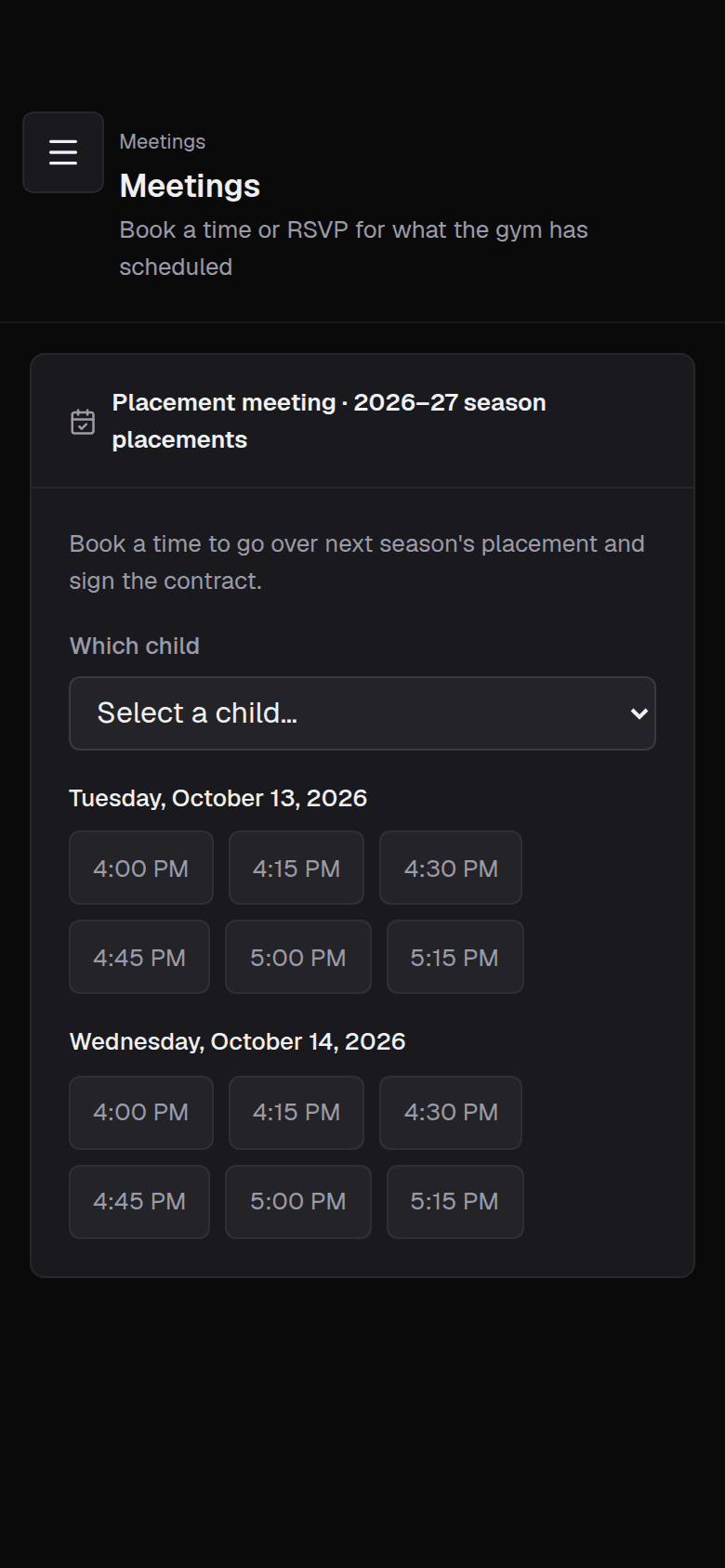
Open a placement cycle with a coach deadline, a meeting window and the date new classes start. Coaches recommend a class for each gymnast they teach, the owner reviews and approves with the new monthly price, and families book a meeting slot online. When the season turns over, approved move-ups are dropped from the old class and enrolled in the new one in a single step.

  • Coach recommendations with notes
  • Admin review with the new tuition price
  • Parent meeting slots booked from the portal
  • Approved move-ups re-enroll gymnasts in one step

What parents see

Parent portal skill progress for one child on a phone
Their child’s skills, marked by the coaches
Parent portal placement meeting with open time slots on a phone
Pick a time for the placement meeting

Questions about skills & placements

Do I have to type in every skill?+

No. Skills can be imported from CSV with the category and level, so a skills sheet you already keep in a spreadsheet comes across in one upload.

Can parents see coach notes?+

No. Parents see the skill and its status. Coach notes on placements stay with the staff.

What happens to billing when a gymnast moves up?+

The approved placement carries the new monthly price, and executing the cycle moves the gymnast into the new class, so the next tuition run bills the new class.

Does this work for rec classes as well as team?+

Yes. Skill categories are yours to define, so you can track a preschool or rec progression the same way as a USAG level.

Set up your gym this afternoon.

Create your facility, toggle on your programs, and you have a class roster before your coffee is cold.

Free during beta. No credit card required.