Messages and announcements that reach every family

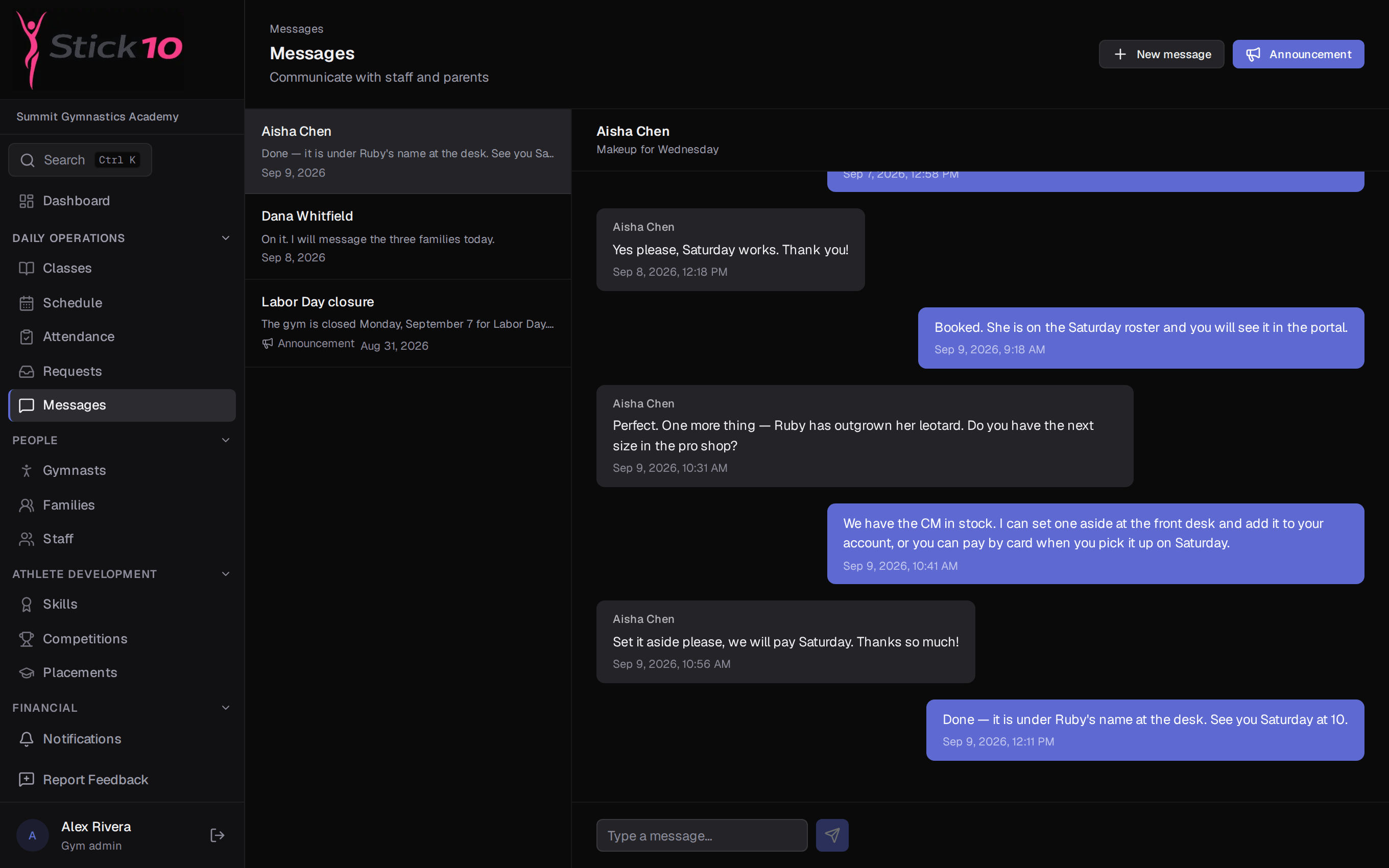
The group text works until it does not: a parent changes number, a coach leaves, and nobody can find the message about the meet warm-up time. Stick10 keeps the conversation on the family record where the front desk can see it.

No credit card. Free during beta.

stick10.com/admin/messages
Stick10 messages page with a conversation between a coach and a parent
A conversation with a parent · every message on the family’s record

Announcements to the right audience

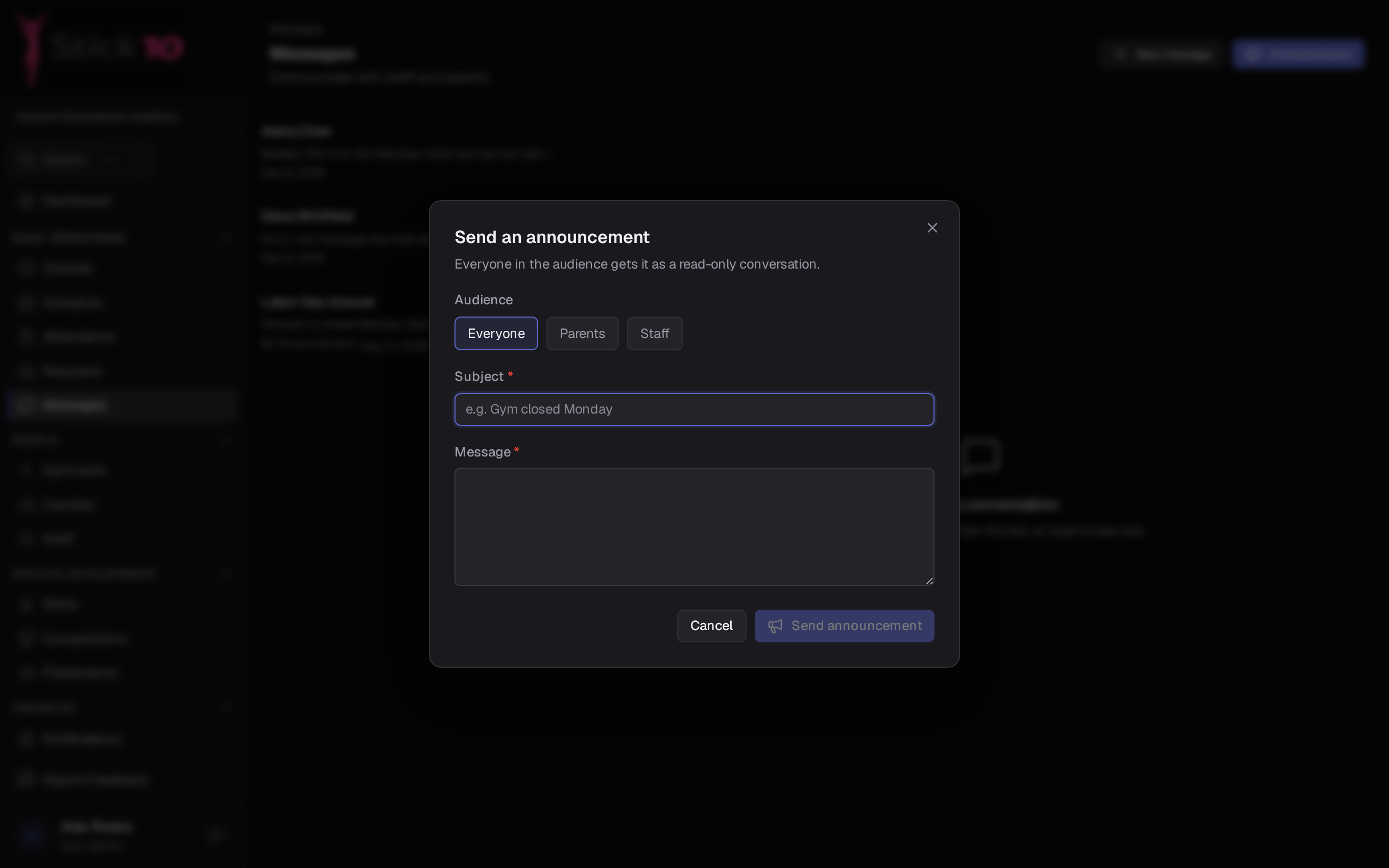
A closure, a schedule change, a meet reminder: write it once and send it to everyone, to parents only, or to staff only. It appears in the app and goes out by email to each guardian who has email turned on.

  • Audience: everyone, parents only or staff only
  • In-app plus email, in one send
  • Every guardian on the family is reached, not just the primary contact
Conversations instead of group texts

Parents can start a conversation with a coach from the portal without hunting for a phone number. Coaches and the front desk see unread counts in the sidebar, and the thread stays with the family.

  • Direct messages between staff and parents
  • Unread counts where staff will notice them
  • History stays on the family, whoever is on shift
stick10.com/admin/messages
Stick10 announcement dialog with an audience of everyone, parents only or staff only
Announcement · pick the audience, write it once, everyone gets it

Notifications that follow your policies

Stick10 sends the messages a gym otherwise sends by hand: a class cancellation, a waiver to sign, an invoice due, a meeting to book. You choose which categories email families. Each guardian can turn email off per category, and every email has a one-click unsubscribe.

  • Cancellations, waivers, invoices and meetings, automatically
  • Gym-wide toggles per category in settings
  • Per-guardian email preferences and one-click unsubscribe

Meetings and requests

Publish a grid of bookable meeting slots, one booking per family, or an open meeting with RSVP and a headcount. Class spot requests and private lesson requests from the portal land in one queue to approve or decline.

  • Bookable slots or open meetings with RSVP
  • Audience by program or by class
  • One requests queue for class spots and private lessons

Questions about messaging

Do parents need to install an app?+

No. The portal runs in the phone’s browser and can be added to the home screen. Messages and announcements also arrive by email, so a parent who never opens the portal still gets them.

Can coaches message parents directly?+

Yes, and parents can start a conversation with a coach from the portal. Admins can see every conversation in the gym.

Can families opt out of email?+

Each guardian can turn email on or off per category from their account page, and every email carries a one-click unsubscribe link. In-app notifications remain so nothing important is lost.

Do you send text messages?+

Not today. Stick10 delivers in-app and by email. SMS is on the roadmap and gyms in the beta are shaping when it arrives.

Set up your gym this afternoon.

Create your facility, toggle on your programs, and you have a class roster before your coffee is cold.

Free during beta. No credit card required.